How to Post Multiple Photos on Instagram: Carousel Guide
Written by: Tim Eisenhauer
Last updated:

The easiest way to keep your social media profiles active.
Learn more about Apaya →
How do you post multiple photos on Instagram?
To post multiple photos in one Instagram post, open the app, tap the plus, then tap the layered-squares icon in the corner of the photo picker to turn on multi-select. Tap your photos in the order you want them, up to 20, then tap Next, edit, write your caption, and share. That swipeable multi-photo post is called a carousel. It is one post that stays on your profile, and it is a different thing from adding several photos to a Story or building a collage. This guide covers the carousel end to end, sorts out the Story and collage versions people confuse it with, then shows the same job done in Apaya.
The short version
Apaya builds the whole carousel for you: give it one line or your own pile of photos, and it lays out the slides, writes the caption, and schedules the post to Instagram with your approval. From $55/mo. The manual steps come first, then the Apaya walkthrough.
Post a carousel in the Instagram app
The carousel is the answer to “multiple photos in one post.” Here is the full flow on the phone, which is where the 20-photo limit and every editing control live.
- Start the post. Tap the plus at the top, then Post. Your camera roll opens.
- Turn on multi-select. Tap the icon that looks like two stacked squares, near the bottom-right of the preview image. Now each photo you tap gets a number.
- Tap photos in order. The numbers are the slide order, so tap them the way you want people to swipe. You can pick up to 20 photos, videos, or a mix of both in one carousel.
- Fix the crop before it bites you. Instagram applies one shape to the whole carousel. Pinch a photo to zoom it inside the frame, or tap the expand arrows at the bottom-left to switch between the original shape and the cropped one. Pick 4:5 portrait if your photos came off a phone, since that fills the most screen and crops the least.
- Reorder if needed. On the edit screen, press and hold a thumbnail and drag it to a new spot. If your version does not drag, deselect everything and reselect in the right order.
- Edit per slide or all at once. Tap a single thumbnail to filter or adjust that one photo, or apply one filter across every slide.
- Caption, tag, and share. Write the caption, tag people or products, add a location, and invite a collaborator if you are co-posting with another account. Tap Share.
A few things people ask at this point. You can mix photos and videos in the same carousel. You cannot add or remove slides after you post: you can edit the caption and tags, but changing the photos means deleting and reposting. And a carousel counts as one post in your grid, not 20, which is why it is the clean way to show a set: a finished job, a product from every angle, a listing, an event.
If you are co-posting with a partner or a featured customer, the collaborator invite turns one carousel into a shared post on both profiles. The Instagram collab post steps cover that flow.
Post a carousel from your computer
Prefer a keyboard and a big screen? Use Meta Business Suite at business.facebook.com.
- Open Business Suite and click Create post.
- Select your Instagram account.
- Upload your photos. They stack into a carousel in the order you add them, and you can drag to reorder.
- Write the caption, then publish now or schedule for later.
The desktop route is the easiest way to build carousels in batches and line them up on a calendar. The phone app is still the place to go when you want the full 20 slides and every per-slide edit. If your Instagram is a business account, the business posting guide covers the desktop tools in more depth.
Multiple photos in a Story is a different job
Half the people searching this want a carousel. The other half want several photos in a Story, which is a separate feature with its own steps.
- Several photos as back-to-back frames: open the Story camera, tap the gallery, tap the multi-select icon, and choose your photos. Each becomes its own Story frame in sequence.
- Several photos on one frame: take or pick your first photo, tap the sticker icon, and choose the photo sticker to layer more photos on top. Or use Layout in the Story camera to drop them into a grid on a single frame.
- Make it tappable: add a link sticker so viewers can jump to a page. The add a link to an Instagram post or Story guide walks through it.
The difference that matters: a carousel lives on your profile until you delete it, and a Story is gone in 24 hours. Use a carousel when you want the set to stick around and get saved.
Different-size photos without the crop
The other muddy version of this search is different-size photos, portrait and landscape shots you do not want mashed to one shape. Two clean options:
- Keep it a carousel, standardize the shape. Set the carousel to 4:5, then pinch each photo to sit inside the frame. For odd sizes, pad each photo onto a square canvas in a layout app first so nothing important gets cut.
- Make a collage instead. If you want different sizes visible at the same time, that is a grid, which is a single image, not a swipeable set. Build it in a layout tool and post it as one photo.
Collage and carousel answer two different questions. A carousel is many photos you swipe through. A collage is many photos in one frame you do not.
The same job in Apaya
Everything above is the manual version, and it works. The slow part is not tapping the icon. It is deciding the slide order, writing a hook for slide one, keeping one idea per slide, adding a call to action on the last slide, then doing the whole thing again next week. That is the part Apaya does for you.
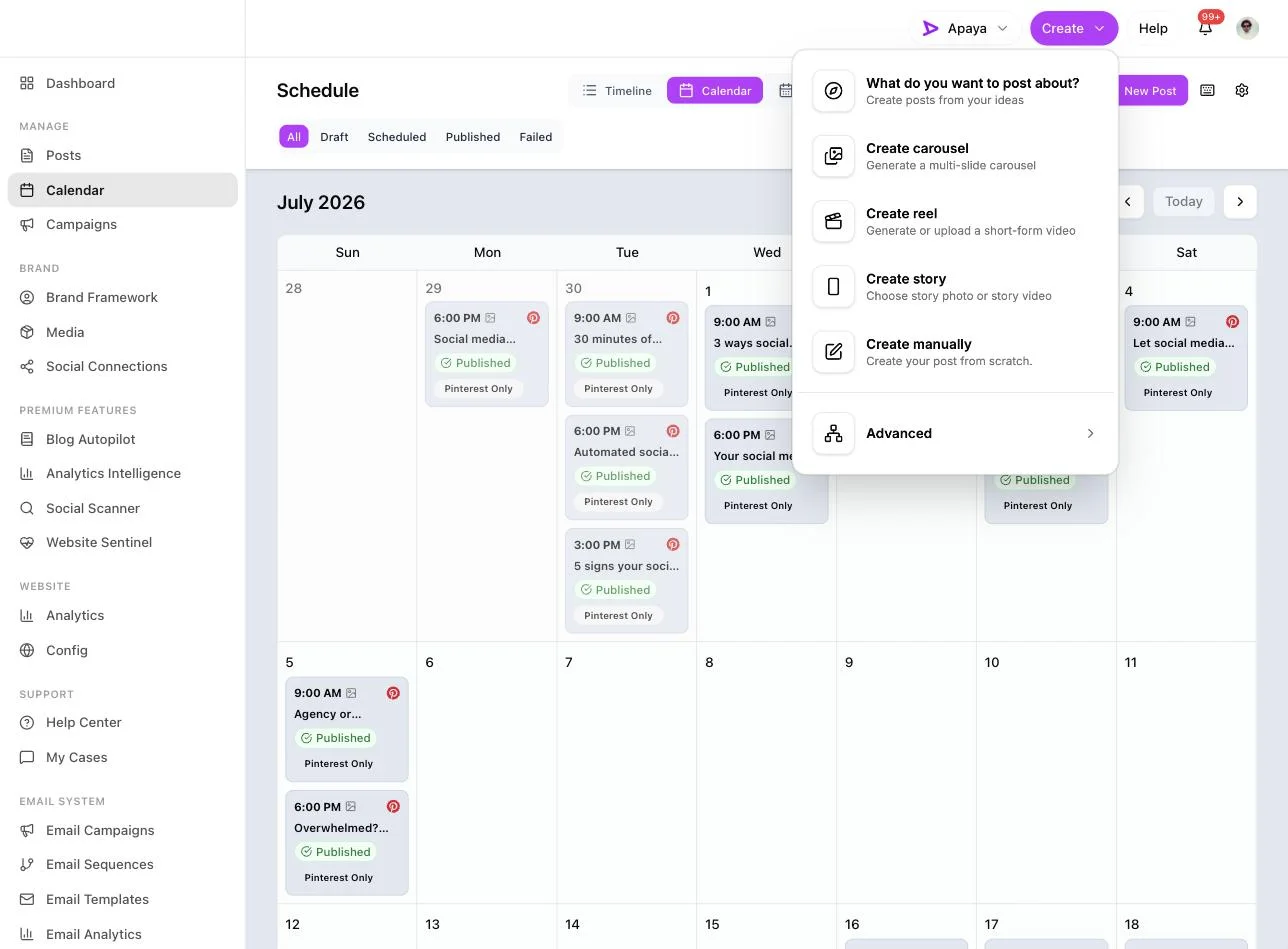
1. Choose the carousel format. In the create menu, pick Create carousel. Reel, story, and manual posts sit right next to it.
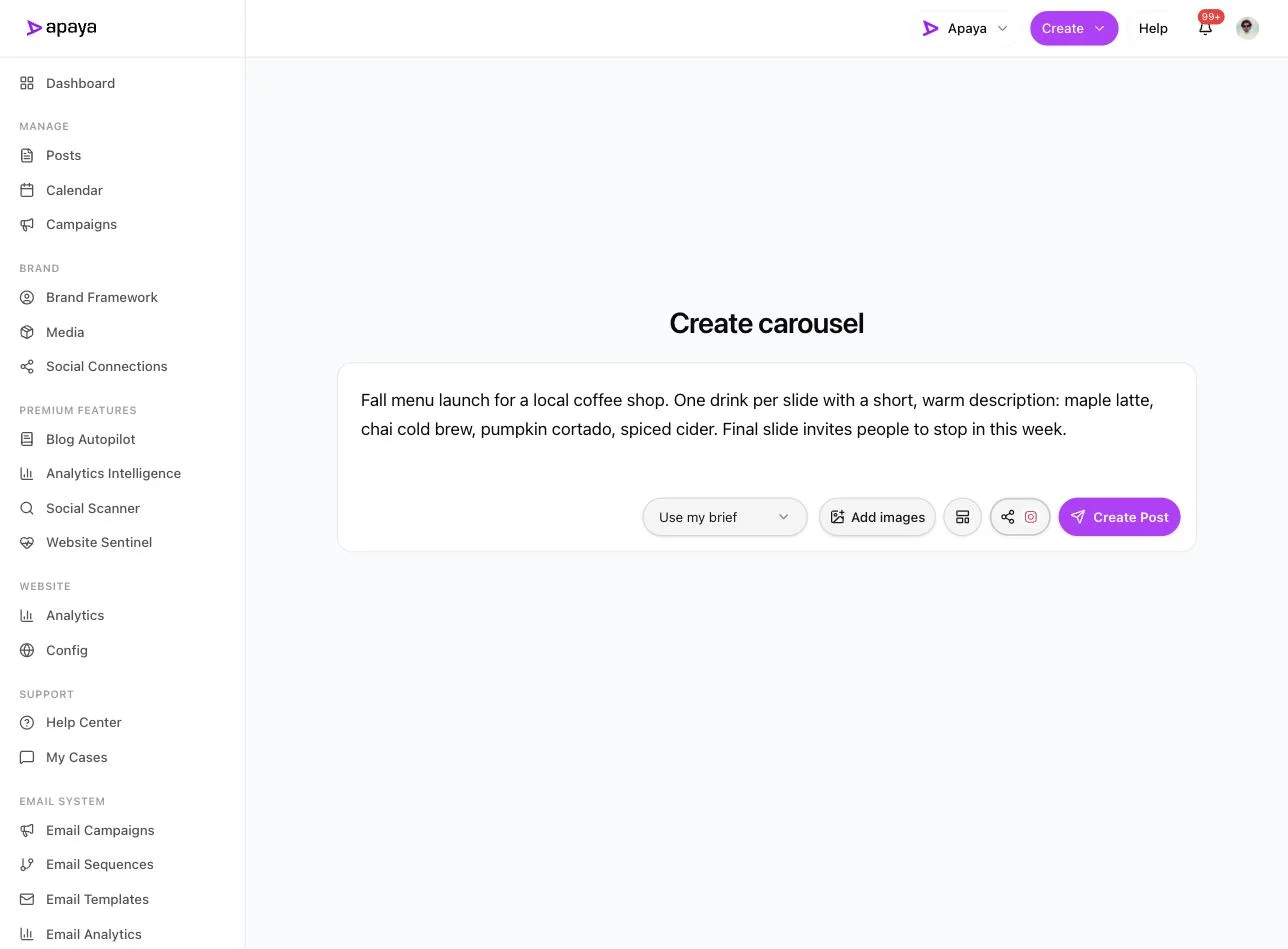
2. Give it a brief or your own photos. Type one line about what the carousel is for, or upload your own pile of shots with Add images. Pick Instagram as the destination. Here is a real brief for a coffee shop’s fall menu with Instagram set as the target:
3. Let it build the slides. Apaya outlines the carousel story, writes the copy for each slide, pairs it with an on-brand template, and renders the slides. You get a finished multi-slide draft with the caption written under it:
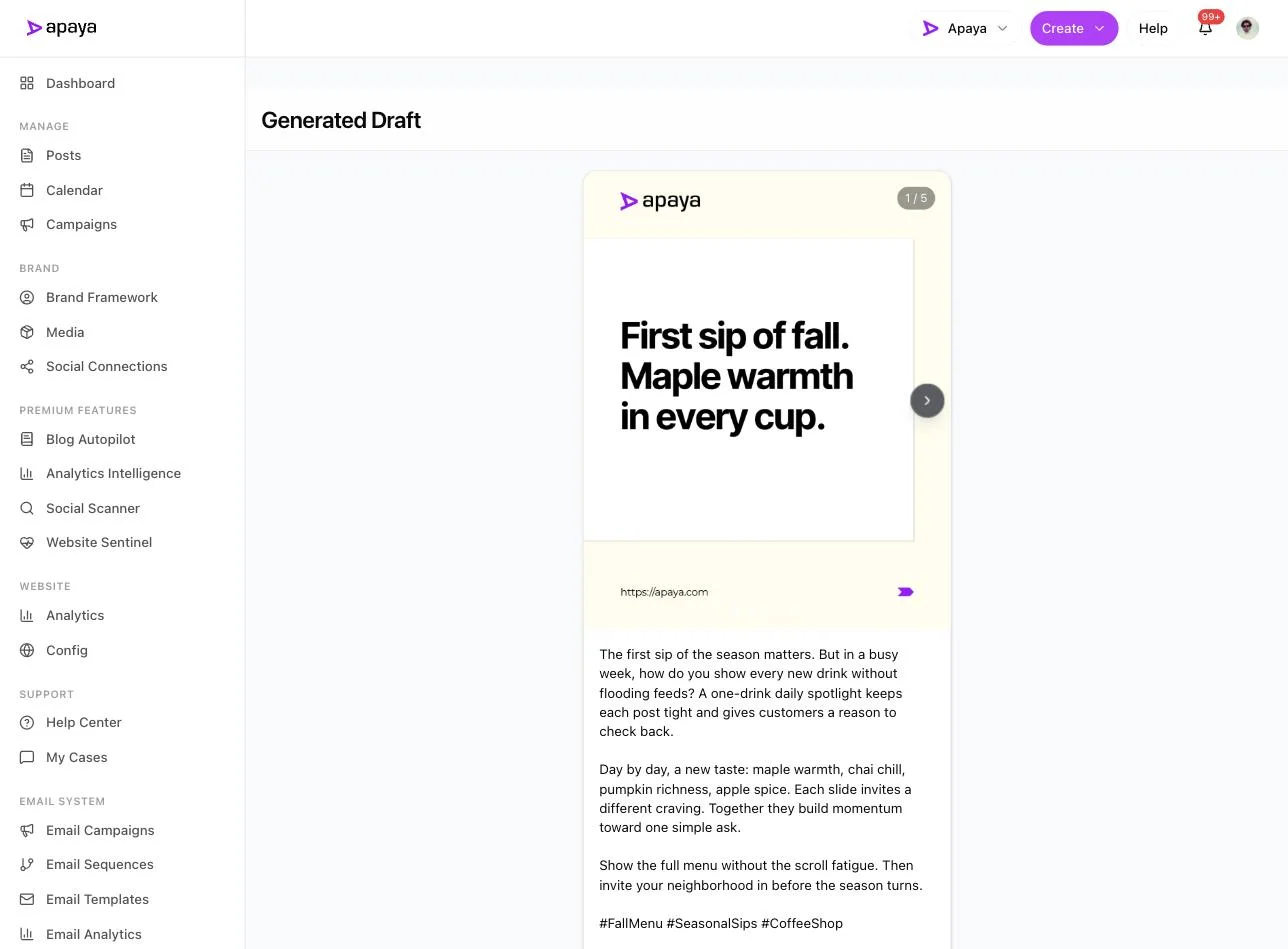
Use the arrows to page through every slide before you keep it, the same swipe your followers will do. Slide three of five here reads “Day three. Pumpkin cortado. Bold and cozy.”
4. Save as a draft or schedule it. The finished carousel carries a Post to Instagram badge and three buttons: Discard, Save as Draft, and Schedule. Nothing goes out until you pick one.
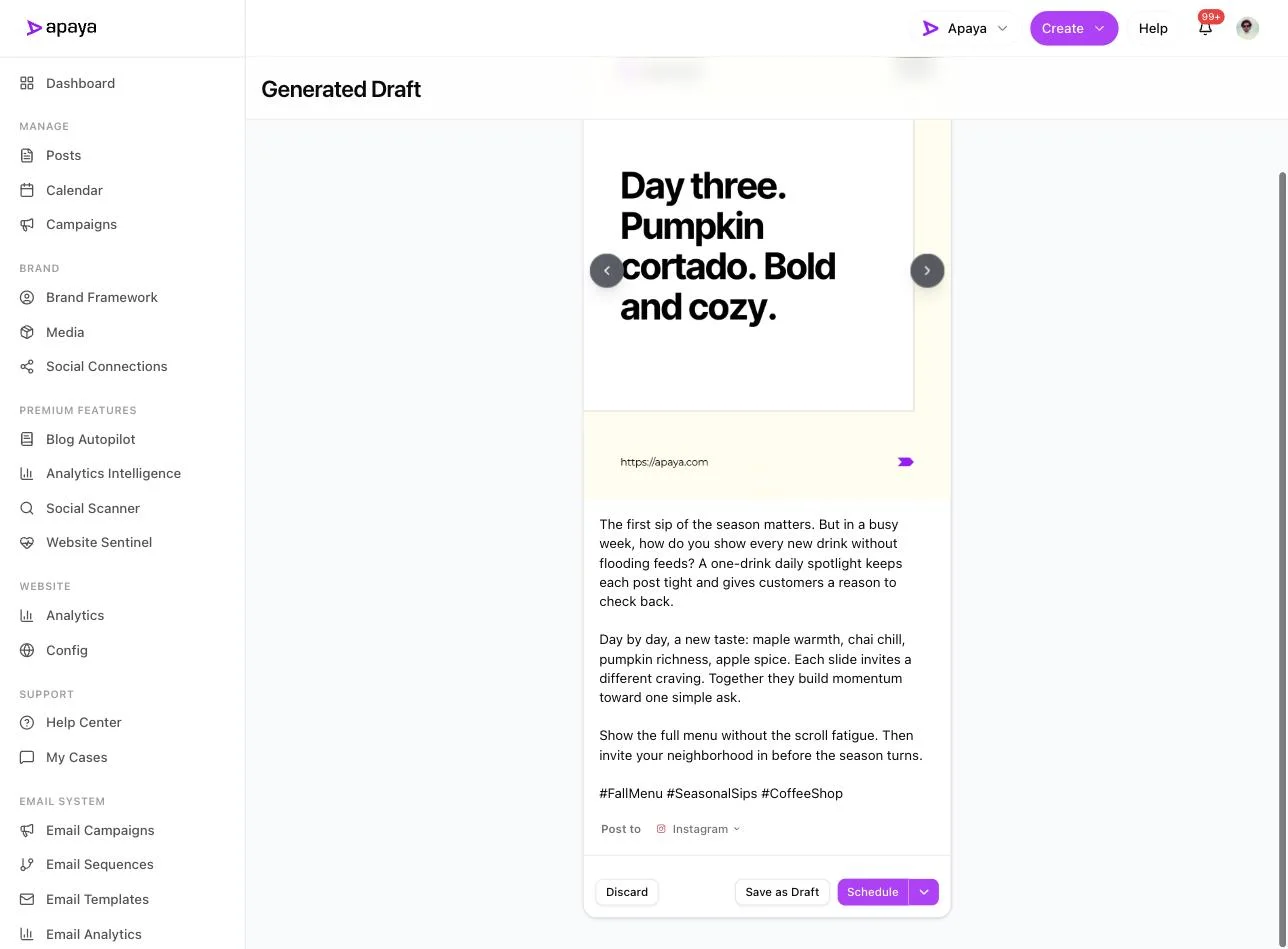
Scheduling drops it onto your calendar at the time you choose, the same way you would line up any other post. The Instagram scheduling guide covers timing and the calendar in full.
If you want the same carousel on a Facebook Page too, connect that Page in Apaya first. You have to be an admin of the Page to connect it, and Apaya’s own roles are a separate system from Facebook’s Page roles. Here is how to add an admin to a Facebook Page if you need the access sorted first.
Why hand this off
Here is the positioning in one line. Apaya does what Hootsuite or Buffer do, and adds the layer they skip. A scheduler organizes content you still have to make. Apaya makes it too: posts, carousels, reels, and stories from a single brief, then schedules them.
For a carousel, that changes the math on your time. The manual flow costs you the layout, the copy for each slide, and the design, every single week, which is where most businesses stop posting carousels after the first two. Apaya turns a one-line brief or a folder of photos into a laid-out carousel with the caption done, so the format you keep skipping becomes one you ship on a steady cadence. See the carousel and multi-format create tools for what it produces from one box.
Two formats settle the same way: carousels and Reels. Which one wins on engagement depends on how the report measured it, and the Instagram benchmark breakdown shows why two credible sources disagree. Post both, watch your own numbers. If you want the Reel version of this walkthrough, here is how to post a Reel on Instagram.
What to put on each carousel slide
A carousel is only as good as its slides. A shape that works for a service business:
- Slide 1, the hook. One line that makes the swipe worth it. A result, a number, a before shot.
- Slides 2 to 5, one idea each. A step, an angle, a detail. Do not crowd two ideas onto one slide.
- A proof slide. The finished job, the product in use, the transformation.
- The last slide, the call to action. Tell people the next step: book, call, visit, save this.
For a full bank of slide ideas by business type, the what to post on Instagram guide has portfolio and checklist carousels you can copy.
Questions people ask
How many photos can you post in one Instagram carousel?
Up to 20 photos, videos, or a mix of both in a single carousel. Tap them in the order you want people to swipe, because the tap order is the slide order.
Why do my carousel photos get cropped, and how do I fix it?
A carousel applies one shape to every slide, so photos that do not match get trimmed. Set the carousel to 4:5 portrait, then pinch each photo to sit inside the frame. For odd sizes, pad each one onto a square canvas in a layout app first so nothing important is cut. Different sizes shown at once is a collage, a single image, not a carousel.
Can you reorder or add photos to a carousel after posting?
Reorder before you post by pressing and holding a thumbnail and dragging it. After posting, you can edit the caption and tags but cannot add or remove slides, so changing the photos means deleting the post and reposting it.
What is the difference between a carousel and multiple photos in a Story?
A carousel is one swipeable feed post that stays on your profile until you remove it. A Story is temporary and disappears in 24 hours. For several photos in a Story, use the multi-select icon in the Story gallery or the photo sticker to layer them on one frame.
How is posting a carousel in Apaya different from doing it by hand?
By hand you sequence the slides, write a hook, write each slide, design them, then repeat next week. Apaya lays out the slides, writes the caption, and schedules the carousel to Instagram from one brief or your own photos, so carousels go out on a steady cadence instead of once.
Related guides
- What to post on Instagram for slide ideas by business type
- How to schedule Instagram posts for timing the finished carousel
- Instagram benchmarks for the carousel versus Reels format debate
- How to post a Reel on Instagram for the video format
- Instagram collab posts for co-posting a carousel with a partner
Sources
- Instagram in-app carousel flow, verified July 2026
- Meta Business Suite posting tools, verified July 2026
- Apaya product screenshots captured live from my.apaya.com, July 2026
The easiest way to keep your social media profiles active.
Apaya writes the posts, designs the graphics, and publishes them for you. You approve.
See how Apaya worksThe easiest way to keep your social media profiles active.
Apaya writes your posts, designs your graphics, and publishes everywhere — automatically.