Google My Business post scheduler
GMB post scheduler that writes the updates, too.
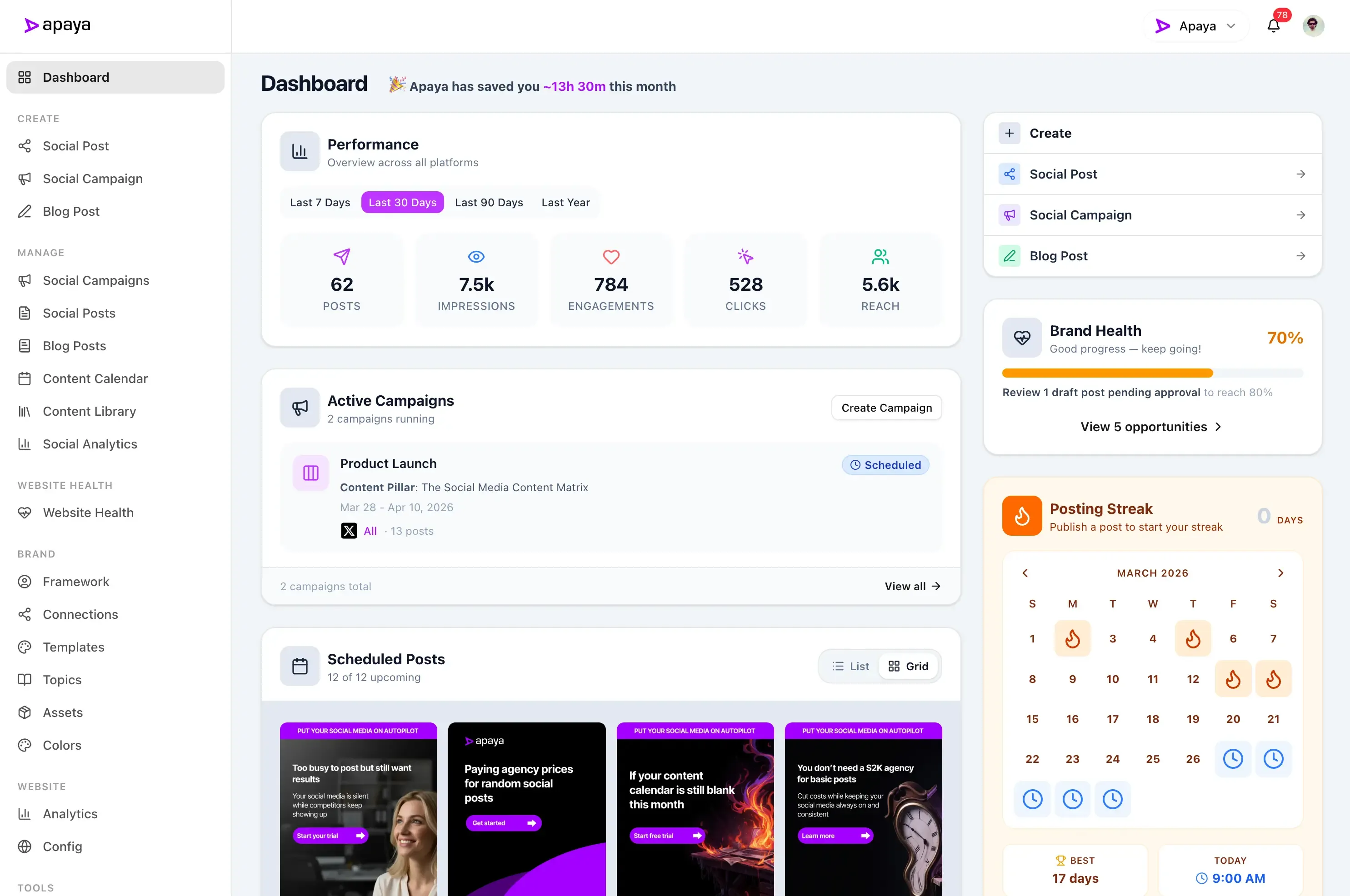
Apaya is a Google Business Profile scheduler that writes the posts. It turns your services, offers, and news into Google My Business updates, then schedules and publishes them to your profile so it stays current between reviews and photos. Schedule Google My Business posts for the week ahead and Apaya publishes them on the day.

Benefits
Create Google Business Profile Posts
Use AI to generate posts for your Google Business profile.
Schedule Google Business Profile posts
Schedule your posts to publish at the best time for your audience.
Publish to all platforms
Publish to all your social media accounts from one place.
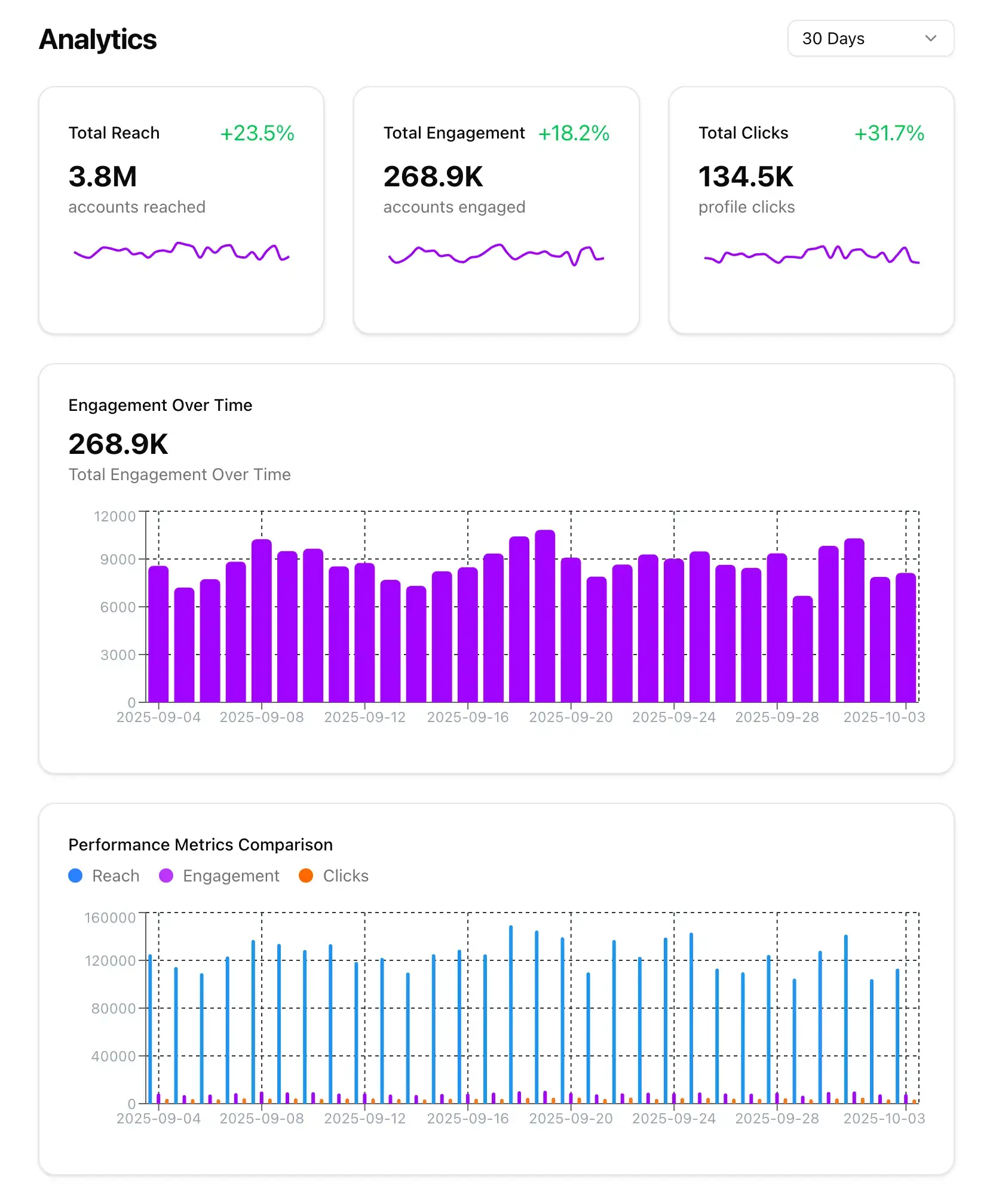
Get insights for growth
Get insights into your Google Business page and audience.
"Apaya saves us time every day. Being able to generate the social media content we need in minutes is a game changer."
 Abhisek Sharma Owner at SCP Technologies
See what AI-generated Google Business Profile posts look like.
Representative examples of the kind of content Apaya creates and publishes to Google Business Profile, tailored to each business.

New patient special this month: exam, x-rays, and cleaning for one flat rate. We have a handful of Saturday slots left, and yes, we run on time. Tap Learn More to grab one.
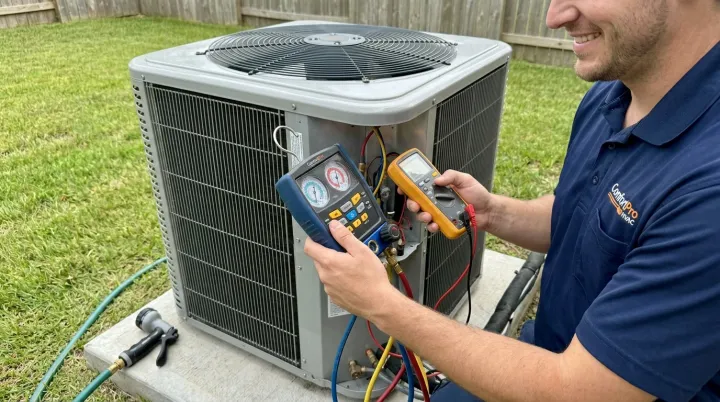
It hit 62 today. It'll hit 95 before you know it. Book your AC tune-up this week and skip the July waitlist, our spring slots are going fast. Call us straight from this post.

Summer-ready skin starts now. This week only: 20% off HydraFacials booked with any returning esthetician. Small studio, real people, zero pressure. Learn more and book online.
Google Business Profile posts expire, so the profile needs a new one every week.
A Google Business Profile update stays visible for about a week, then it is gone. Most businesses post once, forget, and their profile shows nothing current when someone finds them in Search or Maps.
Apaya is a GMB post scheduler that writes the updates. Turn your services, offers, and news into Google My Business posts, review them, and schedule them for the week ahead.
Everything the Google My Business post scheduler handles, from AI updates to your locations.
Connect your Google Business Profile, let Apaya write the update, add a photo and a call to action, and choose when it publishes to one location or all of them.
Your profile
Connect your Google Business Profile to Apaya.
- Sign in with the Google account that manages the profile
- Apaya finds your locations and you choose which belong to this brand
- Manage Google alongside your other social media accounts
Open Social Connections for your brand, choose Google Business, and authorize with Google. Apaya lists the business locations that account manages and you mark the ones this brand owns. A single-location business is set up as soon as it connects.
AI updates
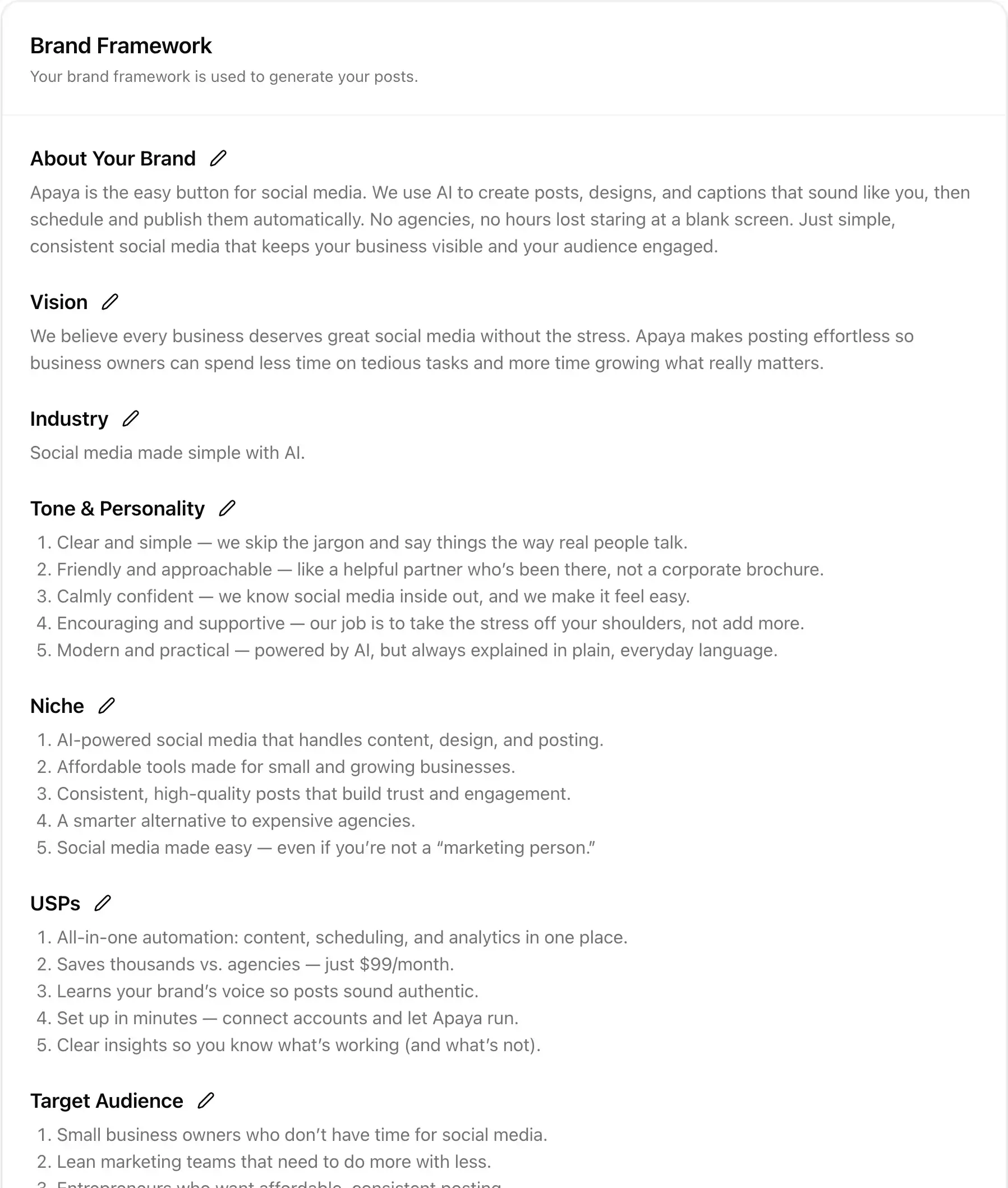
AI writes the Google Business Profile posts for you.
- Generate updates from your services, offers, and business news
- Turn an existing social post into a Google update
- Edit the wording before anything is scheduled
Create an update from a brief, or take a post you already made for another platform and convert it. Apaya writes the update in your voice from your Brand Framework. You review it and change anything before it goes on the calendar. See the AI social media post generator.
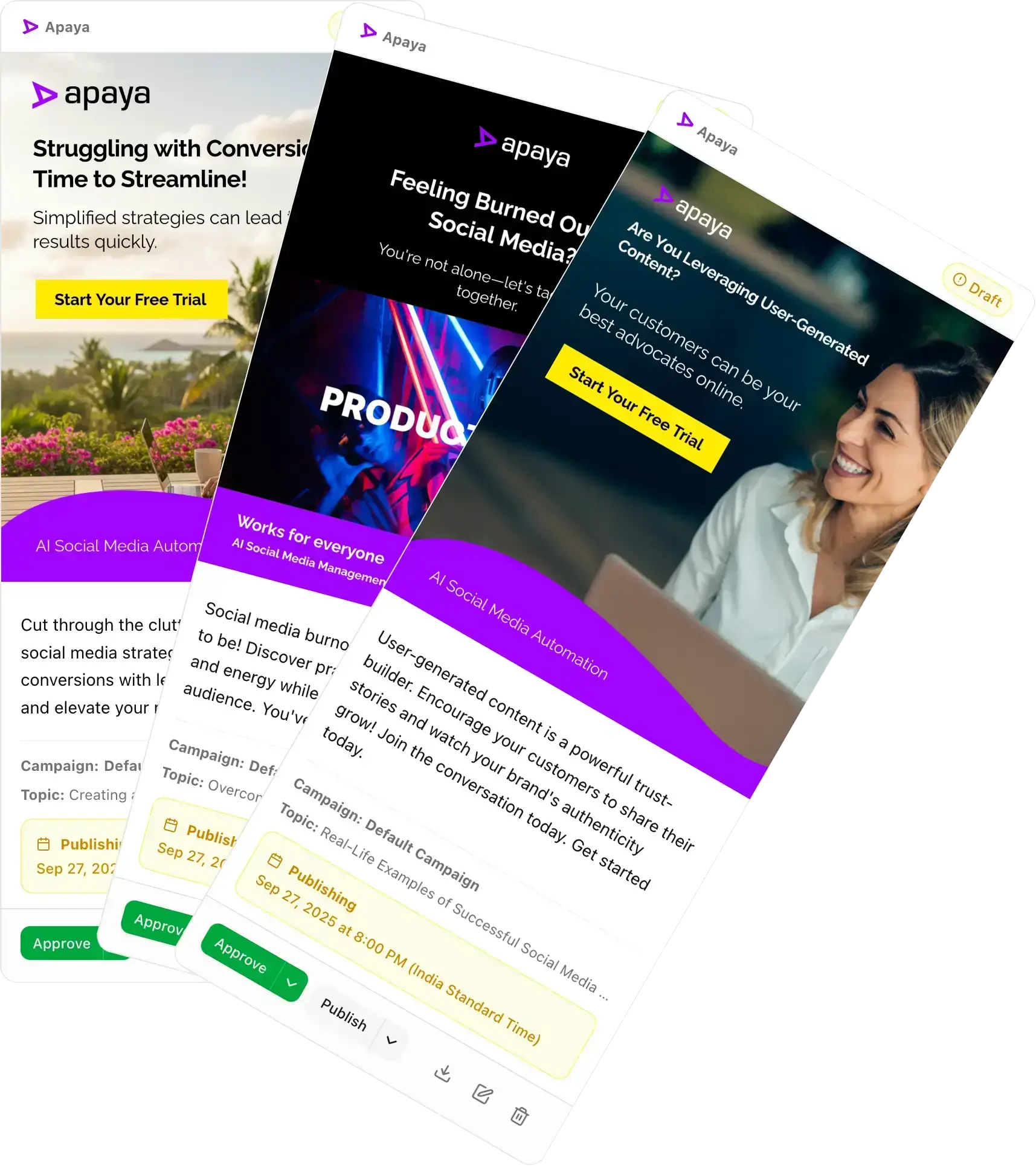
Photo and call to action
Add a photo and a call to action to each GMB post.
- Attach a photo so the update stands out in Search and Maps
- Add a call-to-action button that links to your website
- Standard updates, the post type Google shows most often
Google Business Profile updates work best with an image and a button. Apaya publishes standard updates with an optional call to action, such as Learn more or Book, pointing at the page you choose.
Scheduling
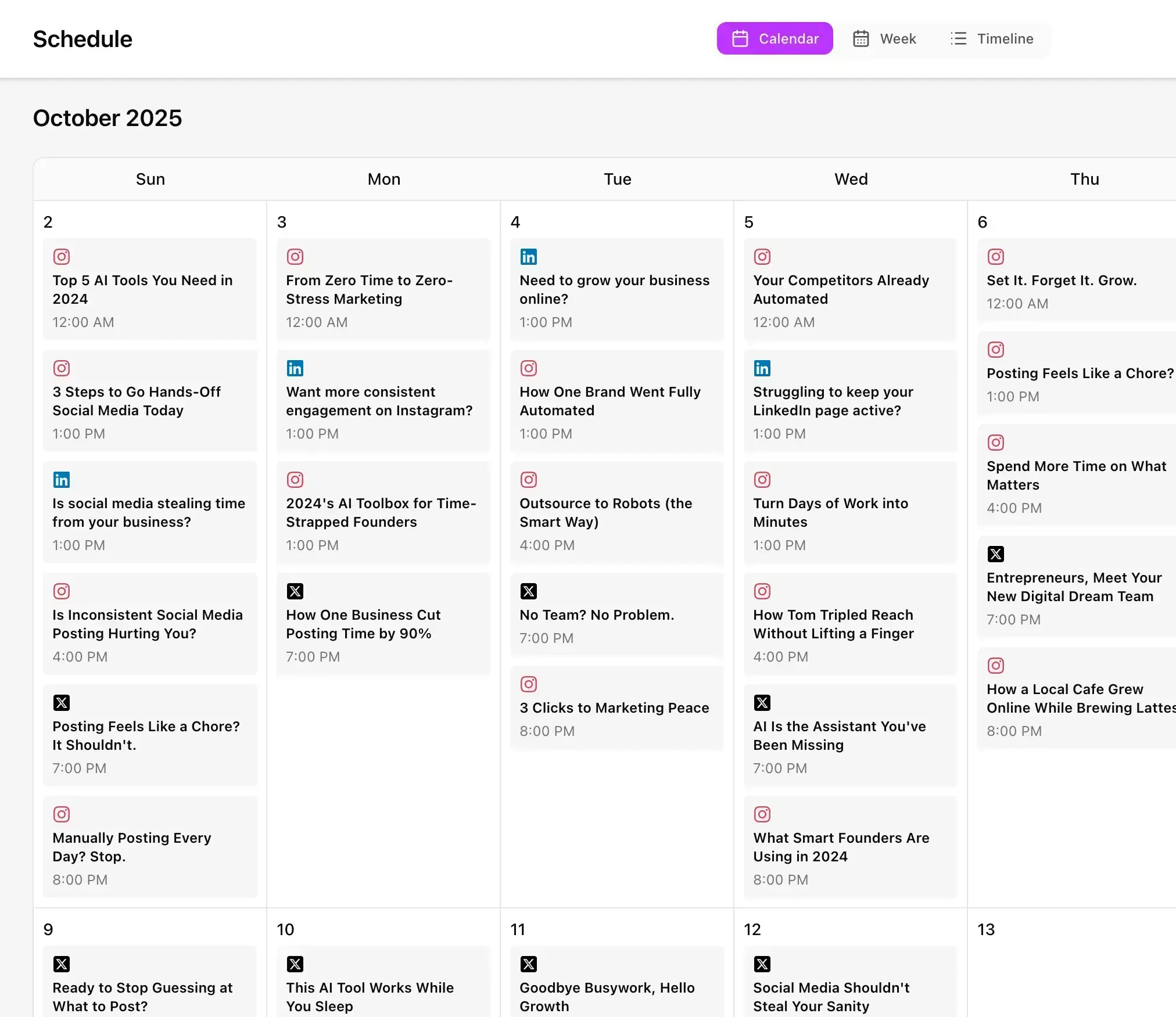
Schedule Google My Business posts for the week ahead.
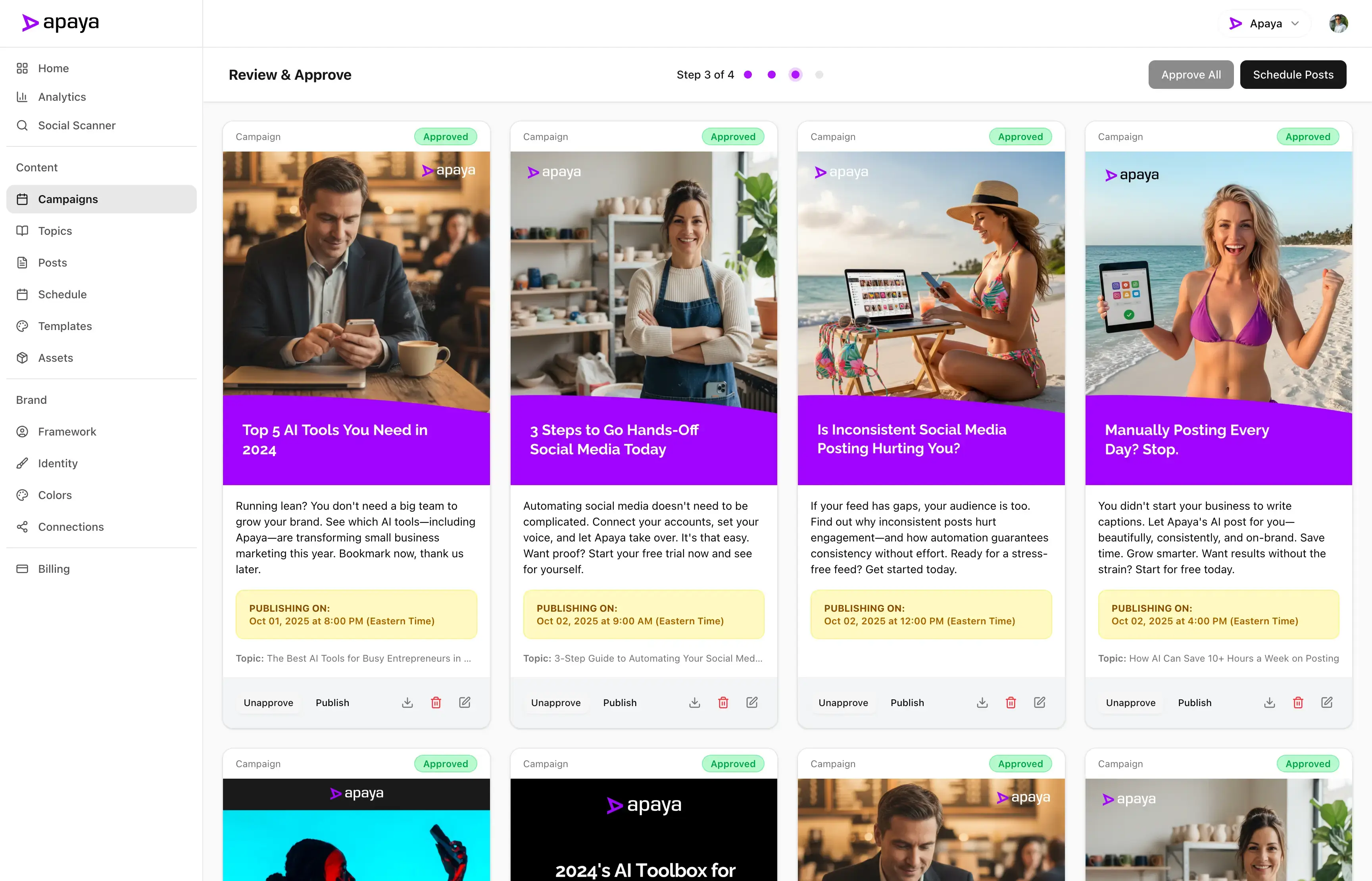
- Publish now or choose a future date and time
- Line up the week's updates and approve them together
- See Google next to your other accounts on one calendar
Prepare your updates when you have time and pick the publishing schedule that fits your business. Apaya publishes each approved update at its scheduled time. Use the same social media scheduling tool for Google and the rest of your accounts.
Locations
Post to one location or all of them.
- Choose the locations each update goes to
- Publish the same update to every location at once
- Keep each brand's locations separate
Multi-location businesses pick the locations on each update, and Apaya creates the Google post for each one. Agencies keep each client's locations inside that client's brand.
Show up with a current update when people find you in Search and Maps.
Schedule a Google My Business post for each week and your profile always shows something recent to the people checking it before they call or visit.
Updates built from your business, on your Brand Framework.
Your services, offers, and news give the updates a purpose. Apaya writes Google Business Profile posts from that information, or converts a post you already made.
Review and approve before anything publishes.
Every update lands in your review queue first. Edit the wording, the photo, the button, the locations, or the time, or reject it. Nothing reaches Google until you approve it.
One GMB post scheduler for every client location.
Agencies connect each client's Google Business Profile inside that client's brand and manage its updates, locations, approvals, and schedule there. Explore Apaya for agencies.
Built for local businesses that want to schedule Google My Business posts without the weekly chore.
Service businesses, clinics, restaurants, and shops that get found on Google Maps and want the profile to look open and active.
Apaya writes and schedules the updates, so your Google Business Profile stays current while you run the business.
Get Started TodayTry it for 3 days • $0 today • Cancel anytime
Get started with Apaya.
Plans from $55/month. Start with a 3-day free trial — cancel anytime.
- AI content generation in your brand voice
- Automated scheduling and publishing
- Brand framework + social analytics
- Choose review or automatic publishing for each campaign
Self-serve plans
From $55/mo
Billed annually. Monthly billing available.
Start Your Free TrialTry it for 3 days • $0 today • Cancel anytime
See all plans and compare →Frequently Asked Questions
Can I schedule Google My Business posts with Apaya?
Can AI write my Google Business Profile posts?
Does Apaya work with Google My Business (GMB)?
Can I post to multiple locations at once?
What can a Google Business Profile post include?
Can I review updates before they go live?
How often should I post to my Google Business Profile?
Can agencies manage several Google Business Profiles?
Schedule your Google Business Profile posts with Apaya.
Connect your profile and line up the week's updates.
Start Your Free TrialTry it for 3 days • $0 today • Cancel anytime