Social media campaign planner
Generate a batch of posts in one go and fill your calendar.
Set the dates, pick where the content comes from, and Apaya creates a campaign of ready-to-review posts. Approve everything, and it publishes on schedule.
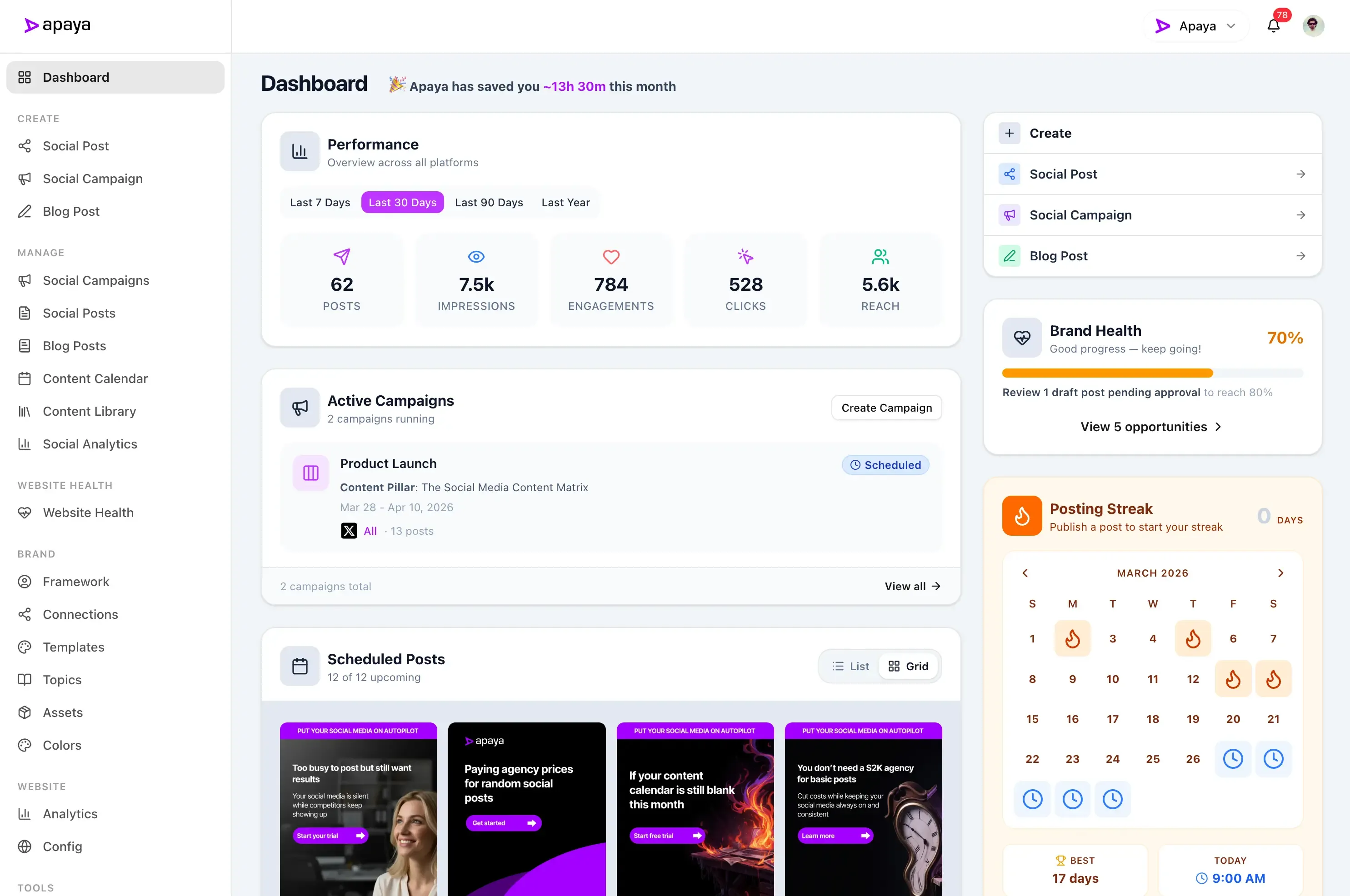
One post at a time is why your calendar is empty.
Every post needs an idea, a caption, a graphic, and a time slot. Making them one by one, you get two done and call it a night. The rest of the week stays blank, and by Thursday the account has gone quiet again. Filling a calendar takes batches, not one-offs.
A campaign in three steps.
Set the schedule.
Pick the dates, the days of the week, one or two posts a day, the times, and the accounts. That is the whole plan.
Pick a content source.
Your website, your photos, your videos, brand topics, or a content pillar. Apaya generates the whole batch of posts from it. Already have copy? Paste it in instead.
Approve and let it run.
Review every post, edit or regenerate the ones you want to change, then approve all and schedule. The campaign publishes automatically from there.
Campaign planner
Plan the whole campaign on one screen.
Name the campaign, set the date range, choose the days you want to post, and pick the times. Select which accounts it publishes to, and the campaign plan is done before the coffee is.
- Up to two posts a day, at times you choose
- Post only on the days of the week that fit
- Run it for a week, 30 days, or leave it unlimited
Content sources
Five ways to feed a campaign.
Point the campaign at your website and Apaya generates posts from the pages you choose. Or feed it your photos, your videos, your brand topics, or a content pillar. Every source runs through your brand profile, so the posts sound like you.
- Choose which sections of your site to draw from
- A caption written around each photo or video
- Or paste copy you already wrote
Review and approve
Review everything before it publishes.
Every generated post lands in a review queue. Edit the caption, swap the hashtags, or ask for a new version of the image with one line of feedback. When the batch looks right, approve it all and schedule in one click.
- Edit captions, hashtags, and post times
- Regenerate a caption or image with feedback
- Approve one at a time, or all at once
Stay in control
Pause, resume, and see what worked.
Life happens. Pause a campaign and every scheduled post holds in place until you resume. When the posts go live, track the campaign's performance post by post, so the next campaign starts from what worked.
- Pause and resume anytime
- Edit posts and times after scheduling
- Track performance campaign by campaign
Social media campaign templates, styled to your brand.
Every post in a campaign is designed from templates that carry your logo, colors, and fonts. Let Apaya pick them automatically, or choose the exact designs a campaign should use.
Canvas
Editable designs. Customize colors, fonts, and layouts in the visual editor.
HTML
Ready-to-use designs. Pick one and go, no editing required.
Auto
A mix of both, balanced automatically across the campaign for you.
Single posts, carousels, and video formats, all from your brand's templates.
A campaign is create and schedule, working together.
One post at a time, Apaya is a content creator and a scheduler. A campaign runs both at once: the posts get made and the calendar gets filled, in a single pass.
Create campaigns for every platform you need.
Campaign posts publish to LinkedIn, Instagram, Facebook, X, and Pinterest. TikTok and Google Business Profile round out Apaya's wider platform support, with YouTube on the roadmap.
Results from businesses like yours.
Your social media could look like this too.
"We went from posting once a week — when we remembered — to daily thought leadership on LinkedIn and Instagram."
 Abhisek Sharma Owner at SCP Technologies
"I used to spend my Sunday nights writing posts for the week. Now Apaya handles our customer stories and promotions automatically."
 Sarah Chen Owner at BerksConnect
"Now the AI drafts everything and my team just refines."
 Mike Patel Director at Resultris Agency
"The posts are consistent and sound like us."
 Emma Lopez Manager at Toperty
"I'm a one-person marketing team. Before Apaya, I'd go weeks without posting. Now we publish daily across three platforms."
 Jordan Kim Director at Doors4Jobs
Ready to see it work for you?
Start Your 3-Day Free TrialTry it for 3 days • $0 today • Cancel anytime
Get started with Apaya.
Plans from $55/month. Start with a 3-day free trial — cancel anytime.
- AI content generation in your brand voice
- Automated scheduling and publishing
- Brand framework + social analytics
- Choose review or automatic publishing for each campaign
Self-serve plans
From $55/mo
Billed annually. Monthly billing available.
Start Your Free TrialTry it for 3 days • $0 today • Cancel anytime
See all plans and compare →Social Media Campaign Planner FAQs
Common questions about planning and generating campaigns with Apaya.
What is a social media campaign planner?
How many posts does a campaign create?
Do I approve posts before they publish?
Where does the campaign content come from?
Can I use content I've already written?
Can I pause a campaign?
Fill next week's calendar today.
Set the schedule, pick a content source, and approve a whole campaign of on-brand posts in one sitting.