Best CoSchedule Alternatives: 7 Tools Compared for 2026
Written by: Tim Eisenhauer
Last updated:

The easiest way to keep your social media profiles active.
Learn more about Apaya →
What Are the Best CoSchedule Alternatives?
The best CoSchedule alternatives in 2026 are Apaya, Planable, Loomly, Metricool, Buffer, SocialBee, and FeedHive. Which one fits depends on what sent you shopping: the per-user pricing, the X (Twitter) gating, or the fact that a marketing calendar still leaves all the content work to you. Apaya is the pick if production is the bottleneck. Planable is the approvals specialist. Loomly is the closest all-in-one calendar swap. Metricool and Buffer simplify the bill. SocialBee and FeedHive add automation and AI assistance.
Here is the short version:
| Tool | Best for | Starting price | The catch |
|---|---|---|---|
| Apaya | AI-created content plus approvals | $55/mo | You give up some manual control |
| Planable | Client and team approval workflows | Free; $39/workspace/mo | Per-workspace pricing, add-on analytics |
| Loomly | Closest all-in-one calendar swap | $42/mo | Manual content, per-tier limits |
| Metricool | Simple pricing, strong analytics | Free; from $22/mo | Lighter team workflows |
| Buffer | Simplest scheduling | Free; $6-$12 per channel/mo | No calendar collaboration depth |
| SocialBee | Evergreen recycling | $29/mo | Setup work upfront |
| FeedHive | AI-assisted scheduling | $19/mo | You still drive the content |
The two complaints that bring people here are predictable. First, the pricing model: CoSchedule’s Social Calendar runs $19 per user per month billed annually with 3 profiles included and extra profiles at $5 a month, so a real team with a real account list scales the bill fast. Second, the X gating: posting to X requires the $59-plus Agency Calendar, which stings when one profile forces a plan jump. Underneath both: a calendar, however shared, does not write anything.
Why Teams Look Beyond CoSchedule
CoSchedule’s strength is coordination: blog, email, and social on one calendar the whole team can see. Teams leave when the math or the work stops adding up. Per-user, per-profile pricing punishes growth. X support hides behind the expensive tier. And after the calendar is beautifully organized, every slot still needs a human to fill it, which is the actual expensive part. The full head-to-head covers the details.
1. Apaya: Best When the Calendar Needs Filling
A shared calendar organizes the work. Apaya does the work.
It learns your brand from your website, creates complete posts with captions and branded graphics, schedules them, and publishes across Instagram, Facebook, LinkedIn, X, and TikTok, with approval workflows so the team review that made CoSchedule attractive stays intact. Flat per-brand pricing, no per-user math, X included.
Start Your Free Trial → Try it for 3 days • $0 today • Cancel anytime
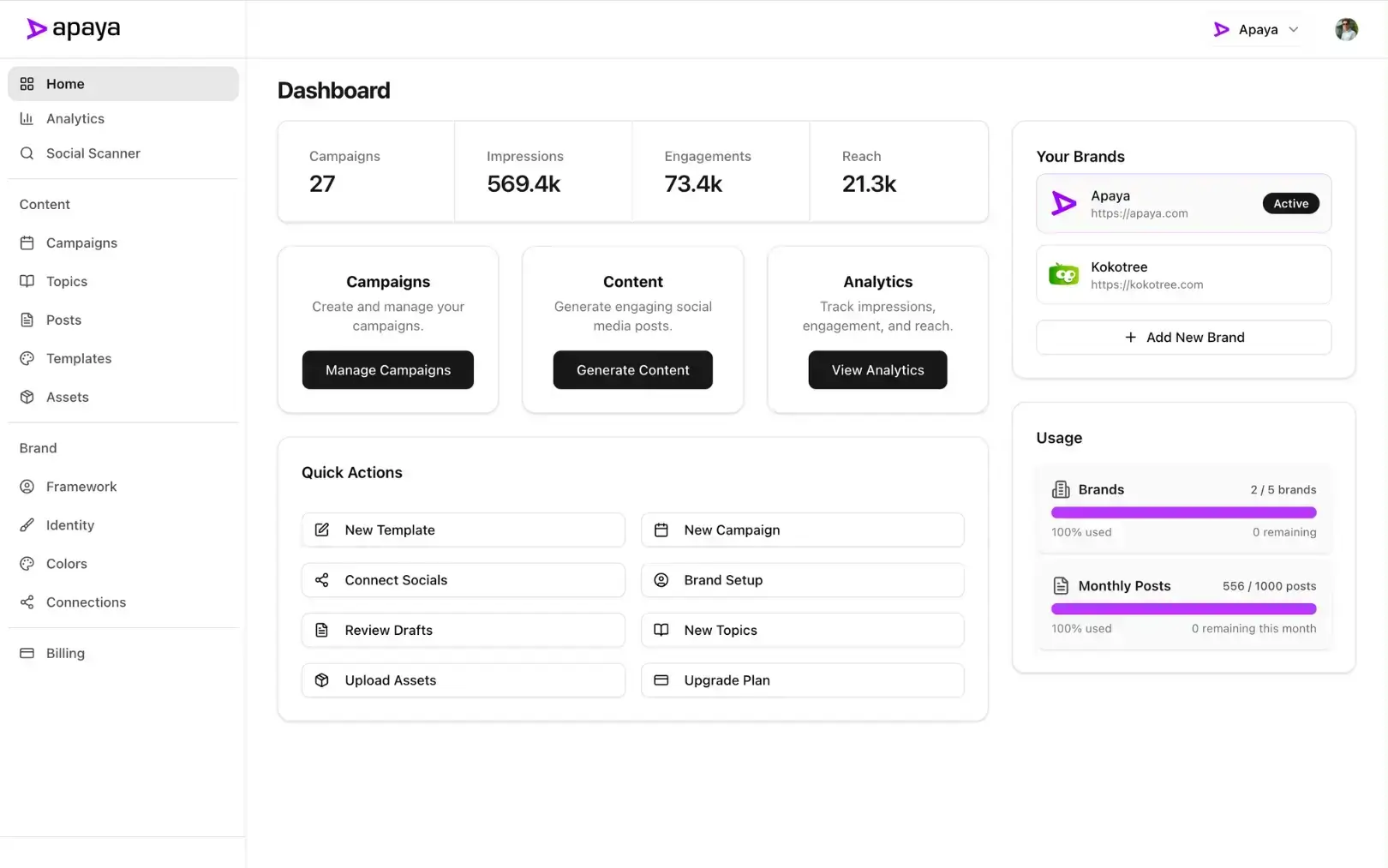
Who it’s for: Teams that realized the calendar was never the bottleneck; the content was. The approval workflows keep multi-person review, and the AI agent page shows what runs on its own.
Pricing posture: $55 to $183 per month billed annually, per brand rather than per user, unlimited posts. See pricing.
The limitation: It is a social media system, not a blog-and-email marketing calendar. If cross-channel campaign coordination is your main need, Loomly or CoSchedule itself serves that shape better.
2. Planable: Best for Approval Workflows
Planable is what CoSchedule’s collaboration promised, sharpened: visual post previews, comment threads, and multi-level approvals, with unlimited users on every plan. You pay per workspace (typically one per client), not per seat.
Who it’s for: Agencies and teams where client sign-off is the workflow.
Pricing posture: Free (50 posts lifetime); Basic $39/workspace/month; Pro $59/workspace/month; analytics as a $14 add-on.
The limitation: Per-workspace pricing scales with client count, and the content is still written by people. Full head-to-head: Apaya vs Planable.
3. Loomly: Closest All-in-One Swap
Loomly is the most direct replacement: calendars, post ideas, approval flows, and scheduling in one tool, priced by plan rather than per user within limits. Base covers 2 users and 10 social accounts for $42.
Who it’s for: Teams that want CoSchedule’s shape without the per-user meter.
Pricing posture: Base $42/month (2 users, 10 accounts); Standard $85/month (6 users, 20 accounts).
The limitation: Content stays manual, and account limits climb by tier. Full head-to-head: Apaya vs Loomly.
4. Metricool: Best Simple Bill
One brand-based price, unlimited scheduling, real analytics, X included on paid plans, and a usable free tier. For solo marketers and small teams, the pricing alone settles the comparison.
Who it’s for: Small teams tired of per-user, per-profile arithmetic.
Pricing posture: Free; Starter $22/month (5 brands, 25 profiles).
The limitation: Team workflows and approvals run lighter than the calendar tools. Full head-to-head: Apaya vs Metricool.
5. Buffer: Simplest Scheduling
If the CoSchedule experience convinced you that you need less tool, Buffer is the least tool that still works: a queue, a simple calendar view, and a free plan for 3 channels.
Who it’s for: Small teams whose coordination needs fit in a shared queue.
Pricing posture: Free; paid $6 to $12 per channel per month.
The limitation: Collaboration depth is minimal. Full head-to-head: Apaya vs Buffer, or the Buffer alternatives roundup.
6. SocialBee: Best for Evergreen Recycling
SocialBee replaces calendar upkeep with category rotation: stock the library and the schedule stays full indefinitely, with AI Copilot help for drafting.
Who it’s for: Businesses whose content repeats well.
Pricing posture: $29 to $99/month.
The limitation: The library is the work. Full head-to-head: Apaya vs SocialBee.
7. FeedHive: Best AI-Assisted Option
FeedHive adds AI writing and performance predictions to a clean scheduler at a creator-friendly price.
Who it’s for: Individual creators and small brands who want AI help, not team calendars.
Pricing posture: $19/month Creator; AI at the $29 Brand tier.
The limitation: Light on the collaboration CoSchedule users are used to. Full head-to-head: Apaya vs FeedHive, or the FeedHive alternatives roundup.
How to Choose a CoSchedule Alternative
- The content never gets made: Apaya. Organizing empty slots is not the problem worth paying for.
- Client approvals rule your week: Planable.
- You want the same shape, better math: Loomly.
- You want the bill simple and small: Metricool or Buffer.
- Your content is evergreen: SocialBee.
Whatever you pick, run the real total: seats, profiles, add-ons, and the hours someone spends filling the calendar. The cost analysis covers the labor line.
Frequently Asked Questions About CoSchedule Alternatives
What is the best CoSchedule alternative overall?
Apaya, if content production is the constraint: it creates, schedules, and publishes with approvals intact, priced per brand instead of per user. Loomly, if you specifically want the all-in-one calendar shape.
Is there a free CoSchedule alternative?
Metricool’s free plan is the most complete, Buffer covers 3 channels free, and Planable’s free tier allows 50 posts total to trial the approval flow.
Does CoSchedule support X (Twitter)?
Only on the Agency Calendar tier ($59-plus). Every alternative on this list includes X on standard paid plans, which for many teams is reason enough to switch.
Can I migrate from CoSchedule easily?
Yes: reconnect your social profiles and rebuild your posting cadence, an afternoon at most. With Apaya, connect your website too, and the first batch of posts is drafted for review the same day.
Organize Less, Publish More
CoSchedule organizes work beautifully. The alternatives either organize it cheaper or do the work for you. Pick based on which half of that sentence describes your actual problem.
Start Your Free Trial → Compare Plans →
Try it for 3 days • $0 today • Cancel anytime
The easiest way to keep your social media profiles active.
Apaya writes the posts, designs the graphics, and publishes them for you. You approve.
See how Apaya worksThe easiest way to keep your social media profiles active.
Apaya writes your posts, designs your graphics, and publishes everywhere — automatically.