Best Buffer Alternatives: 7 Tools Compared for 2026
Written by: Tim Eisenhauer
Last updated:

The easiest way to keep your social media profiles active.
Learn more about Apaya →
What Are the Best Buffer Alternatives?
The best Buffer alternatives in 2026 are Apaya, FeedHive, SocialBee, Ocoya, MeetEdgar, CoSchedule, and Sked Social. Which one fits you depends on the job you need done. Apaya is the strongest pick if you want posts created, designed, and published for you automatically. FeedHive and Ocoya bolt AI writing onto scheduling. SocialBee and MeetEdgar recycle evergreen content. CoSchedule suits teams running social next to a blog calendar. Sked Social fits visual-first Instagram brands.
Here is the short version:
| Tool | Best for | Starting price | The catch |
|---|---|---|---|
| Apaya | Hands-off automation, posts created for you | $55/mo | You give up some manual control |
| FeedHive | Creators who want AI writing help | $19/mo | You still drive the content engine |
| SocialBee | Category-based content recycling | $29/mo | Setup takes real work upfront |
| Ocoya | E-commerce captions and quick AI copy | $15/mo | AI credits capped on lower plans |
| MeetEdgar | Evergreen content libraries | $29.99/mo | Weak for fresh, timely content |
| CoSchedule | Teams coordinating blog plus social | Free, paid from $19/user/mo | X profiles need the pricier Agency plan |
| Sked Social | Instagram-heavy visual brands | $59/mo | Cost climbs fast per account |
One note before the list. If you searched “Buffer alternatives,” you probably fall into one of two camps: Buffer’s queue still needs you to write everything, or Buffer’s per-channel pricing changed in December 2025 and your bill changed with it. Buffer now runs $6 to $12 per channel per month on paid plans, with a free plan capped at 3 channels and 10 scheduled posts each. Neither problem is fatal. But both are worth shopping around for.
If you only want a head-to-head breakdown of one tool against Buffer, see Apaya vs Buffer. The rest of this guide covers the full field.
Why Teams Look Beyond Buffer
Buffer is simple and familiar. For many brands, it was the first step away from copy-pasting. But a queue is just an empty box on a timeline. You still have to think of topics, write captions, and make graphics. On busy days, the boxes stay empty, and your feed does too.
The pattern I see over and over: the tool isn’t the bottleneck. The content is. Buffer schedules what you already wrote. It does nothing about the 7 to 10 hours a week it takes to write it. That’s the real cost most people forget when they compare scheduler pricing, and it’s why the alternatives below split into two camps: tools that help you fill the queue faster, and tools that fill it for you.
For the bigger picture on what automation can and can’t do, see our AI social media automation guide.
1. Apaya: Best for Full Automation
Apaya isn’t a queue. It’s a system that runs your social media for you.
Where Buffer expects you to feed the calendar, Apaya feeds itself. It learns your brand from your website and turns it into daily, on-brand content. No prompts, no templates to fill in.
Start Your Free Trial → Try it for 3 days • $0 today • Cancel anytime
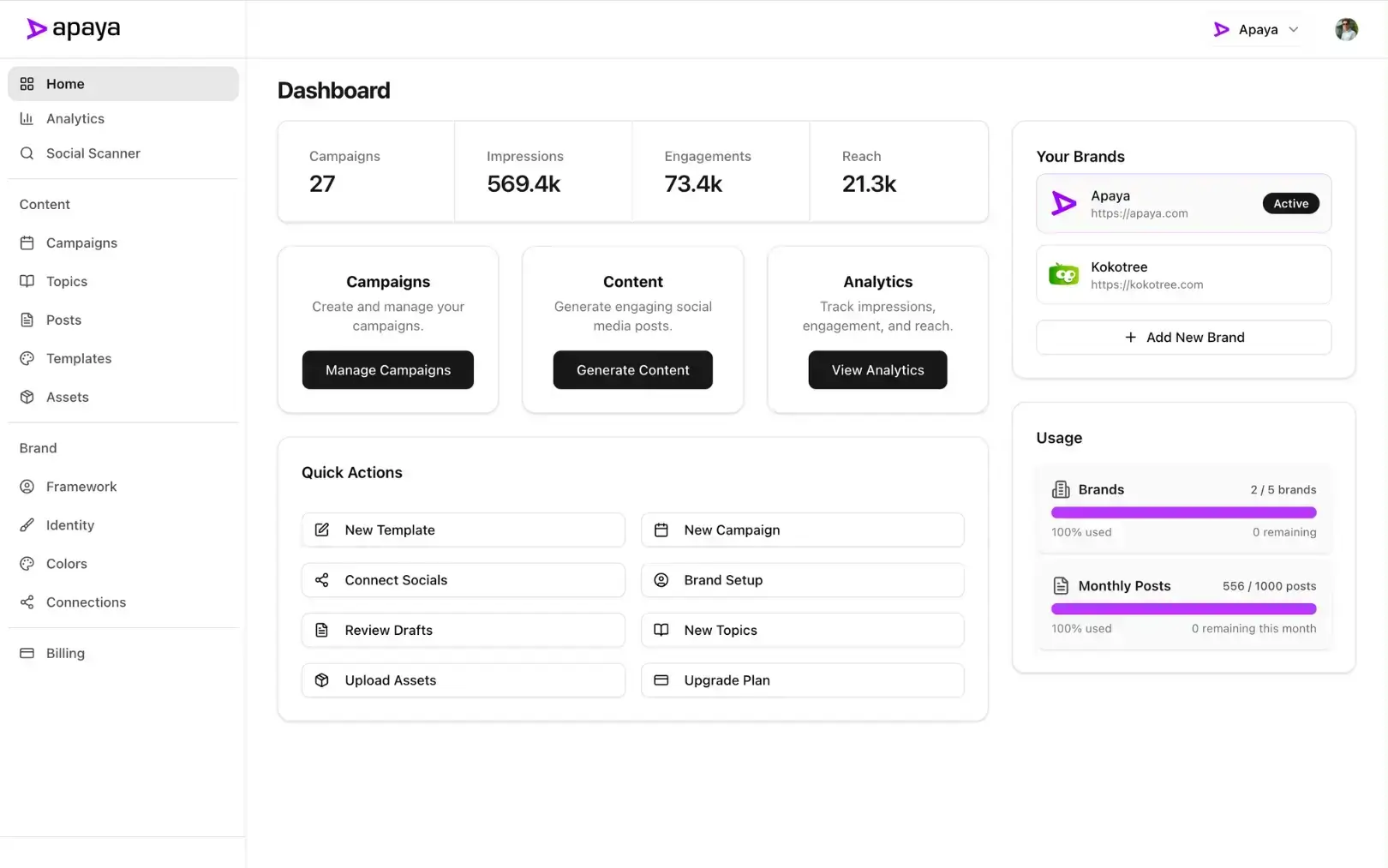
Learns your brand automatically
No questionnaires. No prompt library. Apaya crawls your website to model your voice, audience, offers, and visual identity, building your Brand Framework behind the scenes. → How brand learning works
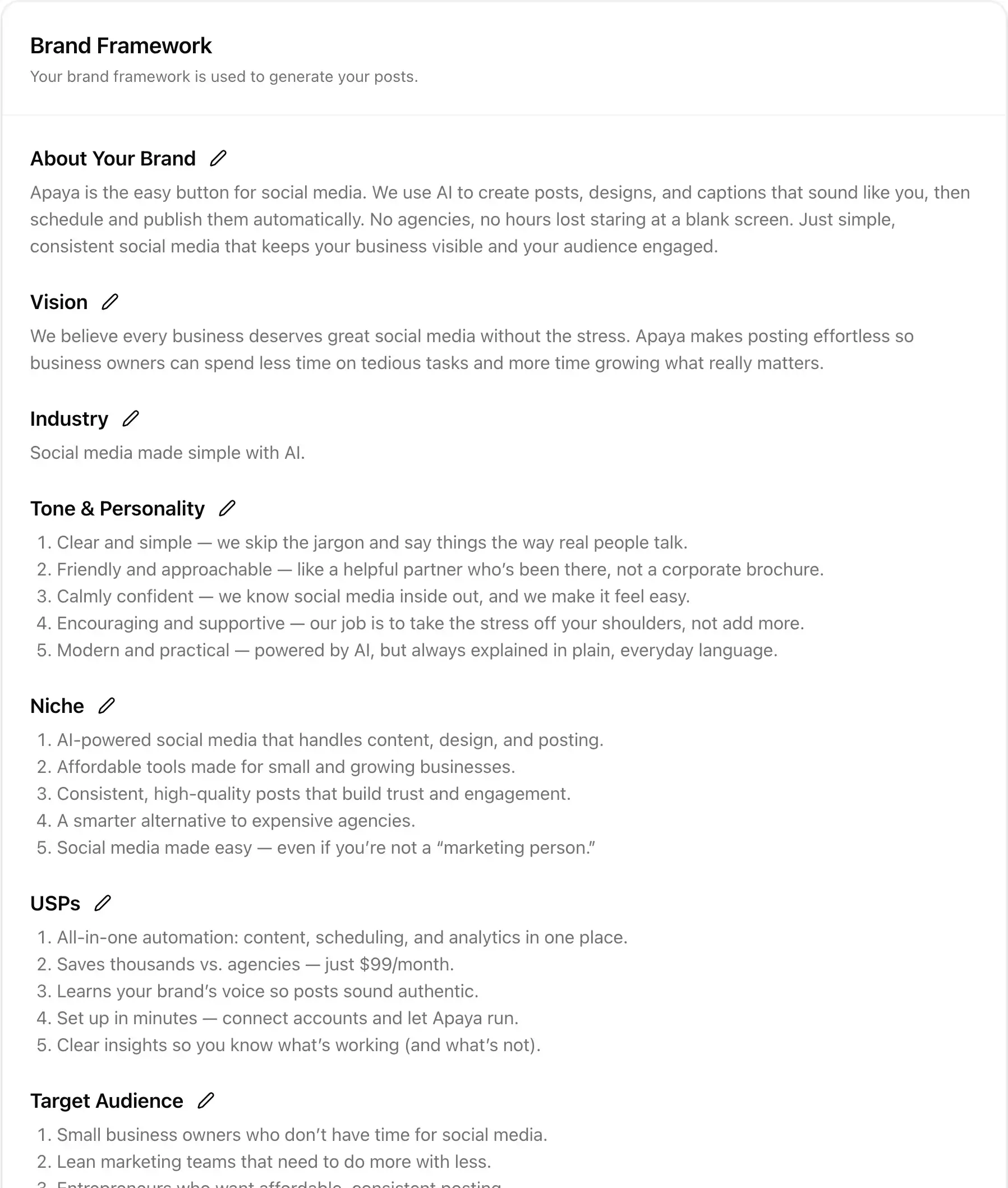
Writes and designs daily posts
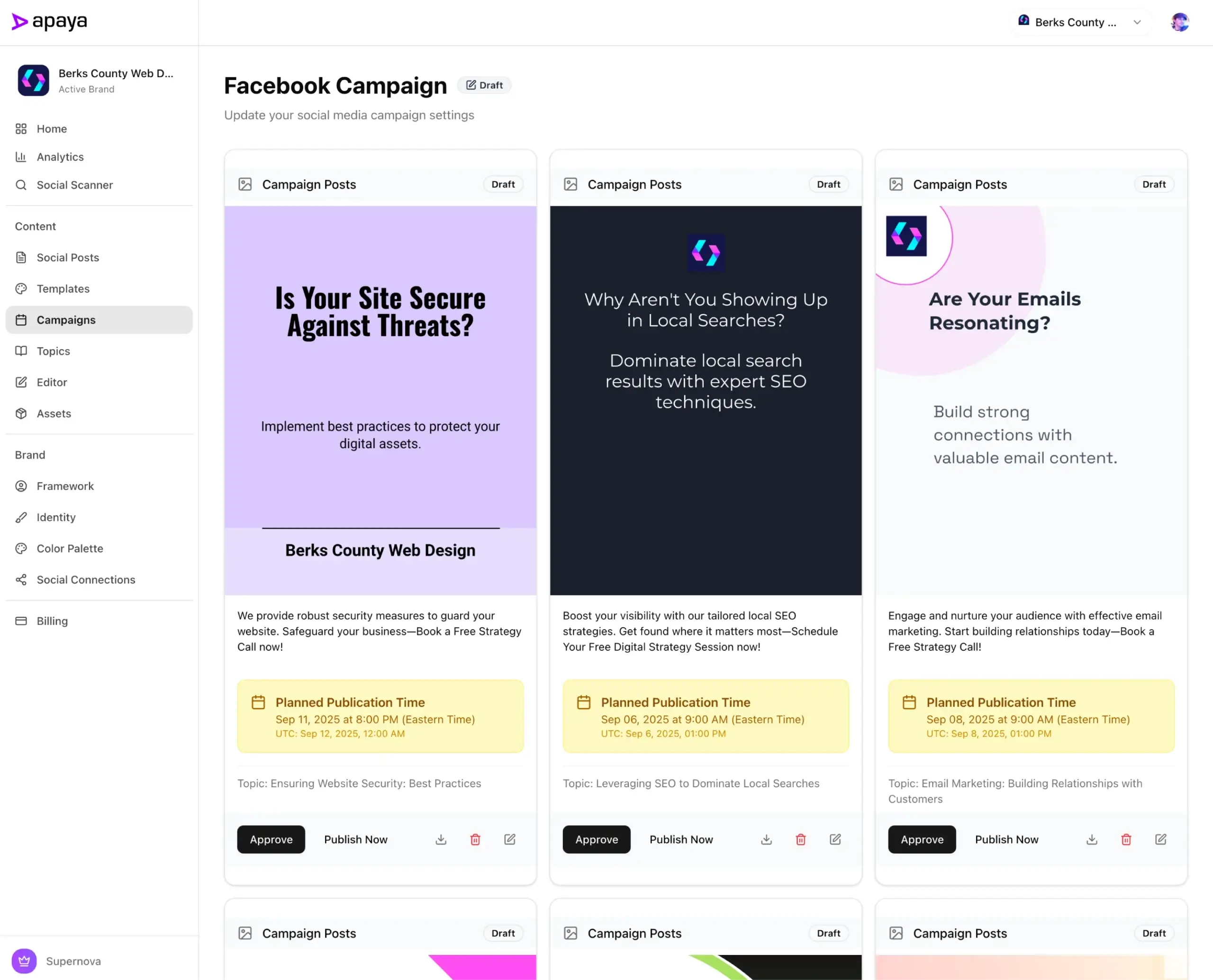
From thought-leadership to promos, Apaya generates complete posts with hooks, captions, hashtags, and on-brand graphics, ready to go live. Prefer tweaks? Use the built-in editor to adjust any element. → Explore post generation
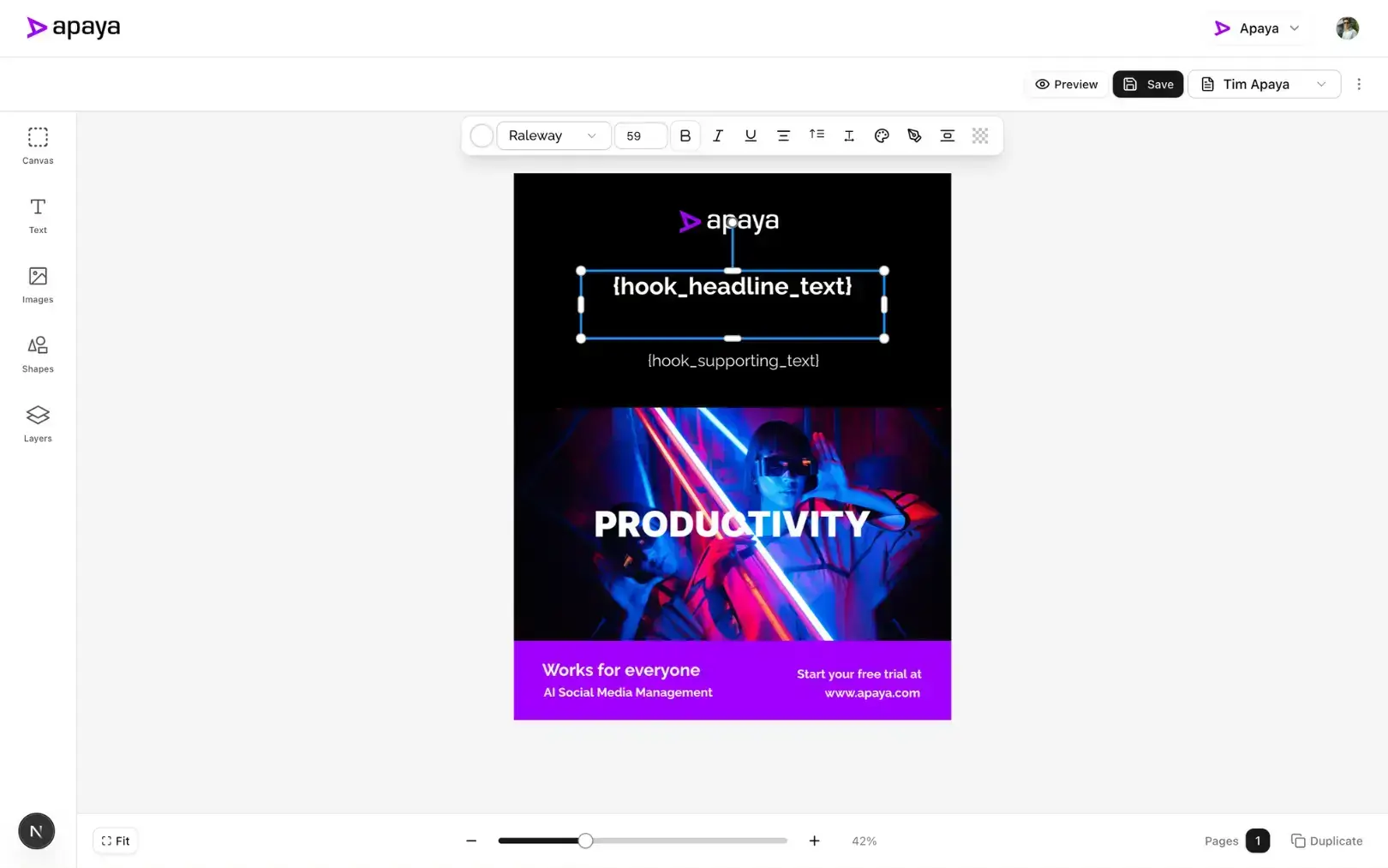
Schedules at the best time, then publishes
Apaya analyzes your audience behavior and historic engagement to choose platform-specific best times, then publishes automatically across Instagram, LinkedIn, Facebook, TikTok, YouTube, and X. Prefer control? Bulk-approve everything with a single click before it goes out. → Discover smart scheduling
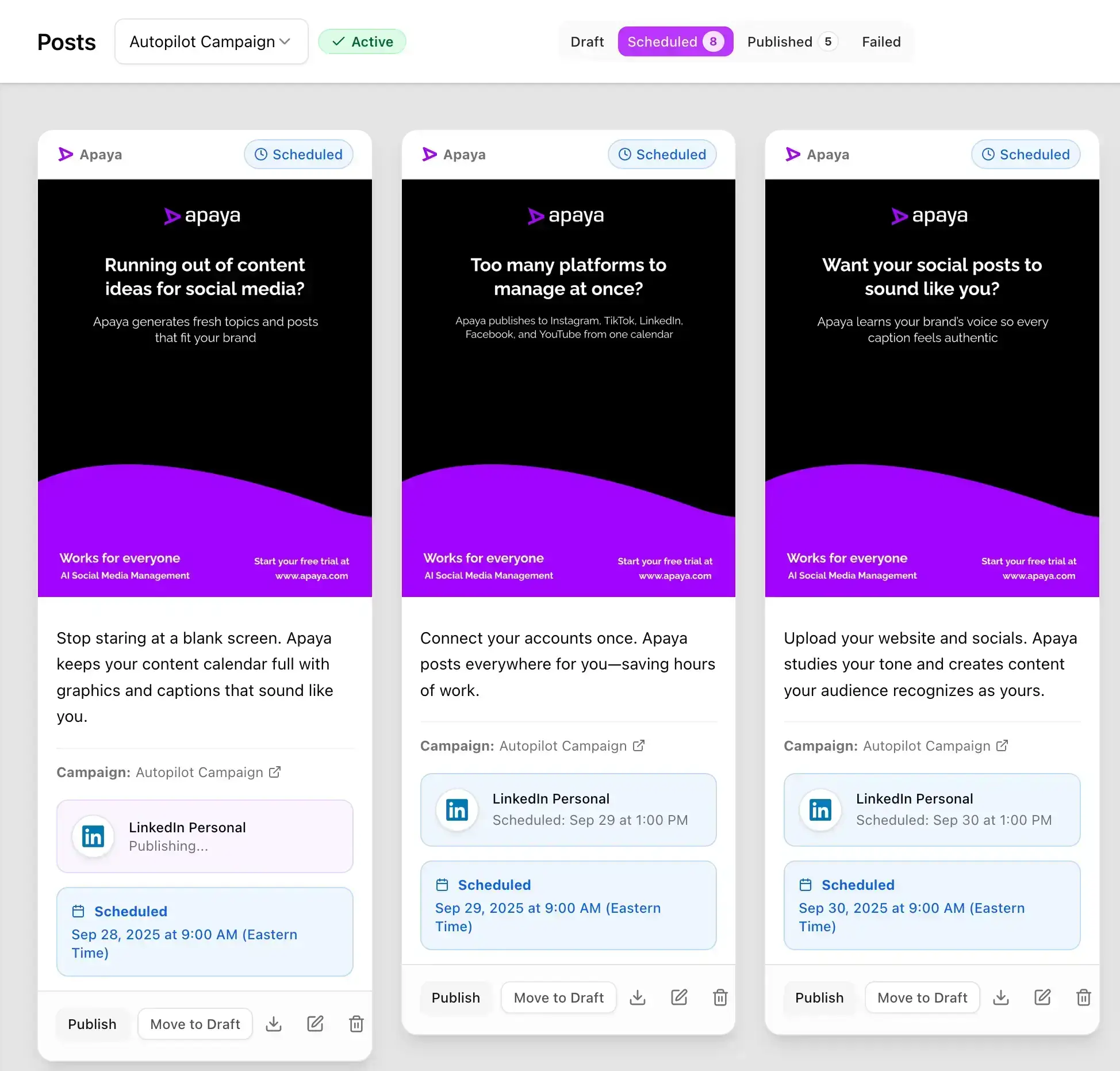
Tracks performance and improves
See reach, engagement, clicks, and growth across networks in one dashboard. Apaya learns from every post and feeds those insights back into creation and timing. → View analytics features
Apaya vs Buffer at a glance
| Feature | Buffer | Apaya |
|---|---|---|
| Generates content for you | No | Yes |
| Creates branded graphics | No | Yes |
| Multi-platform scheduling | Yes | Yes (auto) |
| Best-time optimization | Manual/rules | AI-driven |
| Learns your brand voice | No | Yes |
| Typical monthly cost | $6-$12 per channel | $55-$183 billed annually (replaces 5+ tools) |
Who it’s for: Busy founders, small teams, and agencies that want the results of social without the grind of social. If your queue is always hungry, this is the category jump.
Pricing posture: Plans run $55 to $183 per month billed annually with no per-channel math. See pricing.
The limitation: Apaya is built for hands-off operation, so if you want to hand-craft every single post from a blank canvas, a manual scheduler gives you more direct control. You can review and edit everything before it publishes, but the system works best when you let it do the work.
“We switched from Buffer because we were still spending 10 hours a week filling the queue. Apaya eliminated that entirely. Posts just show up, on-brand, every day.” — Sarah Chen, Owner at BerksConnect
“Apaya AI doubled our engagement in weeks, posting daily thought leadership without pulling our dev team away.” — Abhisek Sharma, Owner at SCP Technologies
2. FeedHive: Best for Creators Who Want AI Writing Help
FeedHive is a scheduler with AI features layered on: post writing assistance, AI-suggested hashtags, performance predictions, and content recycling. It’s popular with solo creators and small brands who like the workflow of a queue but want help filling it.
Who it’s for: Creators and solopreneurs posting frequently who want AI assistance without changing how they work.
Pricing posture: Plans run from $19/month (Creator, 4 accounts) up to $299/month (Agency), with AI features unlocking at the $29 Brand tier.
The limitation: The AI is assistive, not autonomous. You still pick topics, prompt the writer, and approve each draft, so the weekly time commitment shrinks but doesn’t disappear. Full head-to-head: Apaya vs FeedHive.
3. SocialBee: Best for Category-Based Recycling
SocialBee organizes your content into categories (tips, promos, questions, curated links) and rotates through them on a schedule. Once your categories are stocked, your calendar stays full without daily attention. It also added AI writing tools, the “Copilot,” to help generate posts.
Who it’s for: Solopreneurs and small businesses with a bank of evergreen content who want a steady drip without daily posting decisions.
Pricing posture: Standard plans run $29 to $99 per month, with agency tiers from $179 up.
The limitation: The category system takes real setup work, and the quality of your output depends entirely on what you load into it. Empty categories mean an empty feed, same as Buffer. Full head-to-head: Apaya vs SocialBee.
4. Ocoya: Best for E-commerce and Quick AI Captions
Ocoya combines scheduling with an AI copywriter and a built-in graphics editor, with a tilt toward e-commerce. Shopify and product-focused brands use it to spin product listings into social posts quickly.
Who it’s for: Online stores and small brands that need fast captions and decent visuals without hiring a designer.
Pricing posture: Cheapest entry on this list at $15/month (Bronze), scaling to $159/month, with annual billing saving about 20%.
The limitation: AI credits are capped on the lower plans, and the scheduling and analytics depth is lighter than dedicated schedulers. It’s a content-creation assist more than a management platform. Full head-to-head: Apaya vs Ocoya.
5. MeetEdgar: Best for Evergreen Content Libraries
MeetEdgar pioneered the evergreen recycling model: you build a library of posts, and Edgar re-shares them on a loop so your feed never goes quiet. It’s a good answer to the “I wrote 50 great posts and used each one once” problem.
Who it’s for: Coaches, bloggers, and service businesses whose content stays relevant for months and who hate watching good posts die after one share.
Pricing posture: Two simple plans: Eddie at $29.99/month (5 accounts) and Edgar at $49.99/month (25 accounts), cheaper billed annually.
The limitation: Recycling is the whole product. If your strategy needs fresh, timely, or trend-driven content, Edgar doesn’t help you create it, and the analytics are basic. Full head-to-head: Apaya vs MeetEdgar.
6. CoSchedule: Best for Teams Running Blog Plus Social
CoSchedule is a marketing calendar first and a social scheduler second. If your social posts exist to promote blog content, launches, and campaigns, having everything on one calendar your whole team can see is the draw.
Who it’s for: Content teams of 2 to 10 people who plan blog, email, and social together and are tired of spreadsheet calendars.
Pricing posture: A free calendar exists (1 profile, 15 scheduled posts max). The Social Calendar plan runs $19 per user per month billed annually ($29 monthly), with 3 profiles included and extra profiles at $5/month each.
The limitation: X (Twitter) profiles aren’t available on the Social Calendar plan. You need the $59+/month Agency Calendar for that, and the per-user, per-profile pricing adds up faster than the sticker price suggests. Full head-to-head: Apaya vs CoSchedule.
7. Sked Social: Best for Instagram-Heavy Visual Brands
Sked Social started as an Instagram tool and it shows, in a good way. Visual planning, auto-posting for Stories and Reels, link-in-bio, and competitor tracking make it a fit for brands where the grid is the storefront.
Who it’s for: Fashion, food, beauty, and lifestyle brands where Instagram drives revenue and the visual feed needs to be curated carefully.
Pricing posture: Plans start at $59/month (Launch, 3 accounts) and climb to $399/month, with extra accounts billed at $8 to $12 each.
The limitation: It’s priced and built for hands-on social teams. You’re paying a premium for visual planning workflow, not for automation, and per-account fees climb fast if you manage many profiles. Full head-to-head: Apaya vs Sked Social.
How to Choose a Buffer Alternative
Don’t compare feature checklists. Compare where your hours go. Here’s the decision framework:
-
Your problem is creating content, not scheduling it: Choose Apaya. It’s the only tool on this list that writes, designs, and publishes without you feeding it. FeedHive and Ocoya help, but you’re still the engine.
-
You have a library of evergreen posts going to waste: Choose MeetEdgar or SocialBee. Recycling is their core competency.
-
Your team plans social around a blog and campaign calendar: Choose CoSchedule. The shared calendar is worth more than any individual social feature.
-
Instagram is your storefront: Choose Sked Social and accept the price.
-
You want Buffer with AI sprinkled on top: Choose FeedHive. It’s the closest workflow match at a similar price point.
And run the full math, not just the subscription. A $19 scheduler that leaves you doing 8 hours of weekly content work costs far more than a $129 platform that does the work itself. Our cost analysis breaks down the real numbers, including the labor most comparisons ignore.
Are There Free Buffer Alternatives?
Sort of. Buffer itself has a free plan, and several tools on this list offer free tiers that let you connect a channel or two without paying. If all you need is to queue a few posts a week to one or two profiles, a free plan will handle it, and you should use one.
Just be clear about what free means here. Free plans give you the queue, not the content. You still write every caption, design every graphic, and pick every hashtag. At five hours a week, that’s 260 hours a year of your time propping up a $0 subscription. If your time is worth even $30 an hour, the free scheduler costs $7,800 a year. It just never shows up on a credit card statement.
So the advice: go free if content creation is easy for you and your volume is low. The moment your bottleneck is making the posts rather than scheduling them, free tools stop being free. That gap is exactly what the paid tools above, Apaya included, are priced to close.
Frequently Asked Questions About Buffer Alternatives
What is the best Buffer alternative overall?
Apaya, if your bottleneck is creating content rather than scheduling it. Buffer schedules what you already wrote. Apaya creates, designs, schedules, and improves your content automatically, which removes the part of the job that eats your week. If you only need a different scheduler, FeedHive is the closest like-for-like swap.
How much do Buffer alternatives cost?
Anywhere from $15/month (Ocoya) to $399/month (Sked Social’s top plan). Buffer itself runs $6 to $12 per channel per month after its December 2025 pricing change, which means a 10-channel setup is no longer cheap. Flat-priced tools like Apaya ($49 to $129/month) often come out ahead once you pass a handful of channels.
Are there free Buffer alternatives?
CoSchedule has a free calendar limited to 1 profile and 15 scheduled posts. Buffer’s own free plan covers 3 channels with 10 posts each. Free tiers work for testing, but every tool on this list gates the useful features behind paid plans.
Can I migrate from Buffer easily?
Yes. None of these tools import your Buffer queue directly, but switching is mostly reconnecting your social accounts, which takes minutes. With Apaya, you connect your website and accounts, it learns your brand, and you can have a week of posts scheduled the same day. Your existing Buffer schedule keeps running during the switch.
Will AI-generated content sound robotic?
It depends on the tool. Prompt-based AI writers produce generic copy if you give them generic prompts. Apaya avoids this by learning your voice from your website, so posts are grounded in your actual messaging rather than templates. Learn more about how LLMs create authentic content.
What about Hootsuite alternatives?
Same logic, different starting tool. If you’re comparing the bigger enterprise schedulers too, see our Hootsuite alternative guide.
Do any Buffer alternatives offer white label?
Buffer doesn’t do white label, so agencies outgrow it quickly. Among the alternatives, Apaya includes a white-label platform on its Supernova plan: your name, logos, and colors on the software, AI content production underneath, and per-brand pricing built for reselling. The white label guide and reseller program cover the details.
Pick the Tool That Removes the Most Work
If your queue is always hungry and your calendar never ends, the fix isn’t a prettier box to fill. It’s a system that does the work.
Six of the seven tools above make filling the queue faster. One removes the queue from your life. Start with the question of where your hours go, then pick accordingly.
Start Your Free Trial → Compare Plans →
Try it for 3 days • $0 today • Cancel anytime
The easiest way to keep your social media profiles active.
Apaya writes the posts, designs the graphics, and publishes them for you. You approve.
See how Apaya worksThe easiest way to keep your social media profiles active.
Apaya writes your posts, designs your graphics, and publishes everywhere — automatically.