Best Postiz Alternatives: 7 Tools Compared for 2026
Written by: Tim Eisenhauer
Last updated:

The easiest way to keep your social media profiles active.
Learn more about Apaya →
What Are the Best Postiz Alternatives?
The best Postiz alternatives in 2026 are Apaya, Mixpost, Buffer, FeedHive, SocialBee, Ocoya, and MeetEdgar. Which one fits depends on why you are leaving. Apaya is the strongest pick if you want the content created, designed, and published for you. Mixpost is the closest self-hosted swap with a one-time license instead of a subscription. Buffer is the simplest mainstream queue. FeedHive and Ocoya bolt AI writing onto scheduling. SocialBee and MeetEdgar keep a feed alive by recycling evergreen content.
Here is the short version:
| Tool | Best for | Starting price | The catch |
|---|---|---|---|
| Apaya | Hands-off automation, posts created for you | $55/mo | You give up some manual control |
| Mixpost | Self-hosters who want a one-time license | Free (Lite), $299 one-time (Pro) | You still run the server |
| Buffer | Simple mainstream scheduling | $6-$12 per channel/mo | The queue stays empty until you fill it |
| FeedHive | Creators who want AI writing help | $19/mo | You still drive the content engine |
| SocialBee | Category-based content recycling | $29/mo | Setup takes real work upfront |
| Ocoya | E-commerce captions and quick AI copy | $15/mo | AI credits capped on lower plans |
| MeetEdgar | Evergreen content libraries | $29.99/mo | Weak for fresh, timely content |
One note before the list. People searching for Postiz alternatives usually fall into two camps. The first camp tried self-hosting and found out the free tier is free software, not free work: a server to run, updates to apply, and your own developer app registrations with every social platform. The second camp is on the cloud plans ($29 to $99 per month) and realized the posts still have to come from somewhere: you, your team, or AI agents you configure and prompt yourself.
Both camps are reacting to the same fact. Postiz is distribution infrastructure, and a good one. It is not a content engine.
If you only want a head-to-head breakdown of one tool, see Apaya vs Postiz. The rest of this guide covers the full field.
Why People Look Beyond Postiz
Postiz deserves its reputation. It is open source, it connects to 30+ channels including niche ones like Discord, Telegram, and Mastodon, and its API and agent tooling are ahead of the category. For developers, it is an impressive project.
The friction shows up when the person running it is not a developer. Self-hosting means Docker, updates, storage, and platform API credentials you register and maintain yourself. The cloud plans remove the server but not the job: AI images are capped by tier (the $29 plan has none), and the workflow assumes you show up with content or wire up agents to produce it.
The pattern is the same one I write about with every scheduler: the tool is not the bottleneck. The content is. A scheduler with 100 connected channels and an empty queue publishes exactly as much as no scheduler at all. For the bigger picture on what automation can and cannot do, see the AI social media automation guide.
1. Apaya: Best for Full Automation
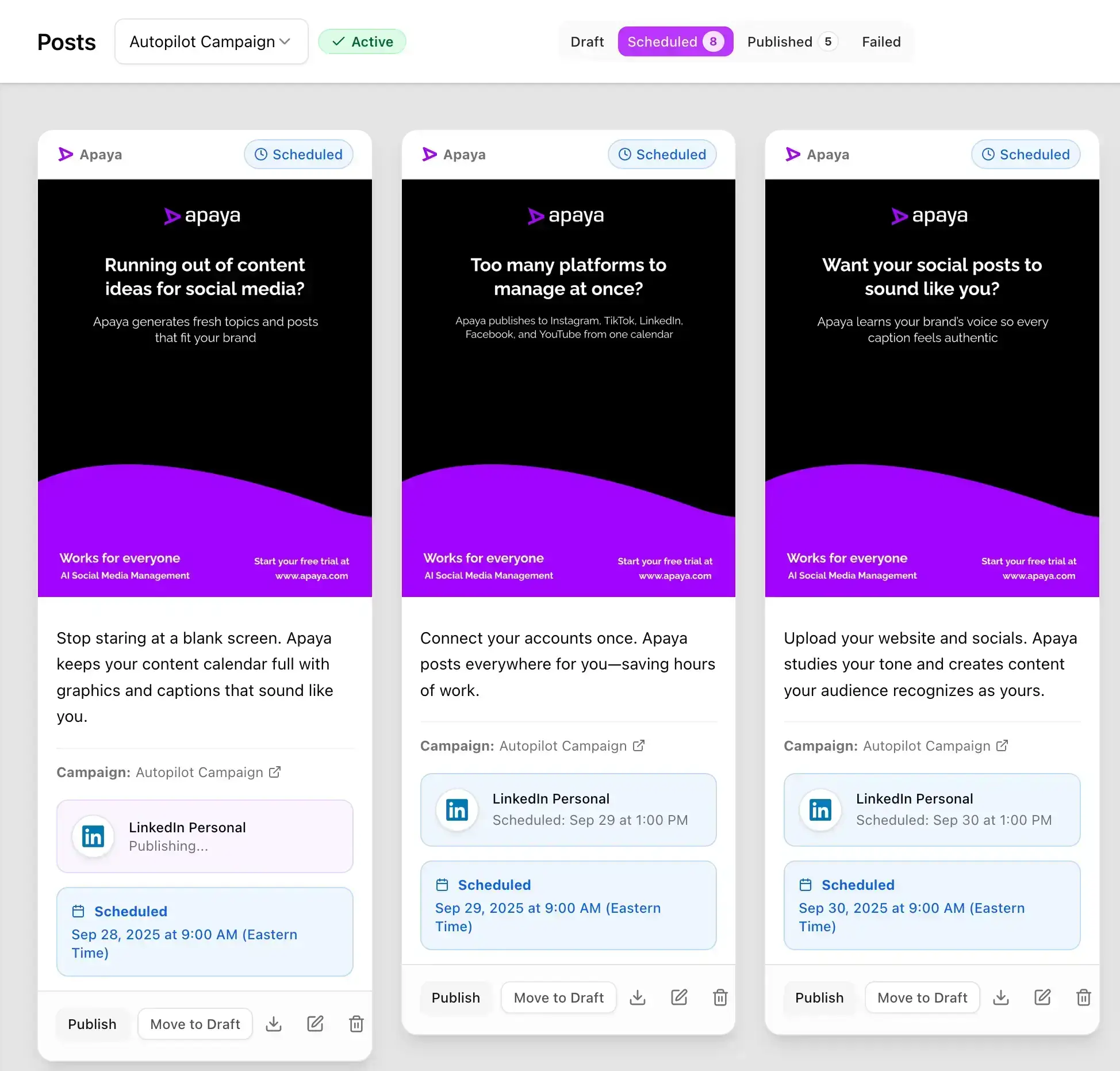
Apaya is not a queue. It is a system that runs your social media for you.
Where Postiz expects you to bring content or configure agents to make it, Apaya is the agent. It learns your brand from your website and turns it into daily, on-brand content. No prompts, no pipelines, no server.
Start Your Free Trial → Try it for 3 days • $0 today • Cancel anytime
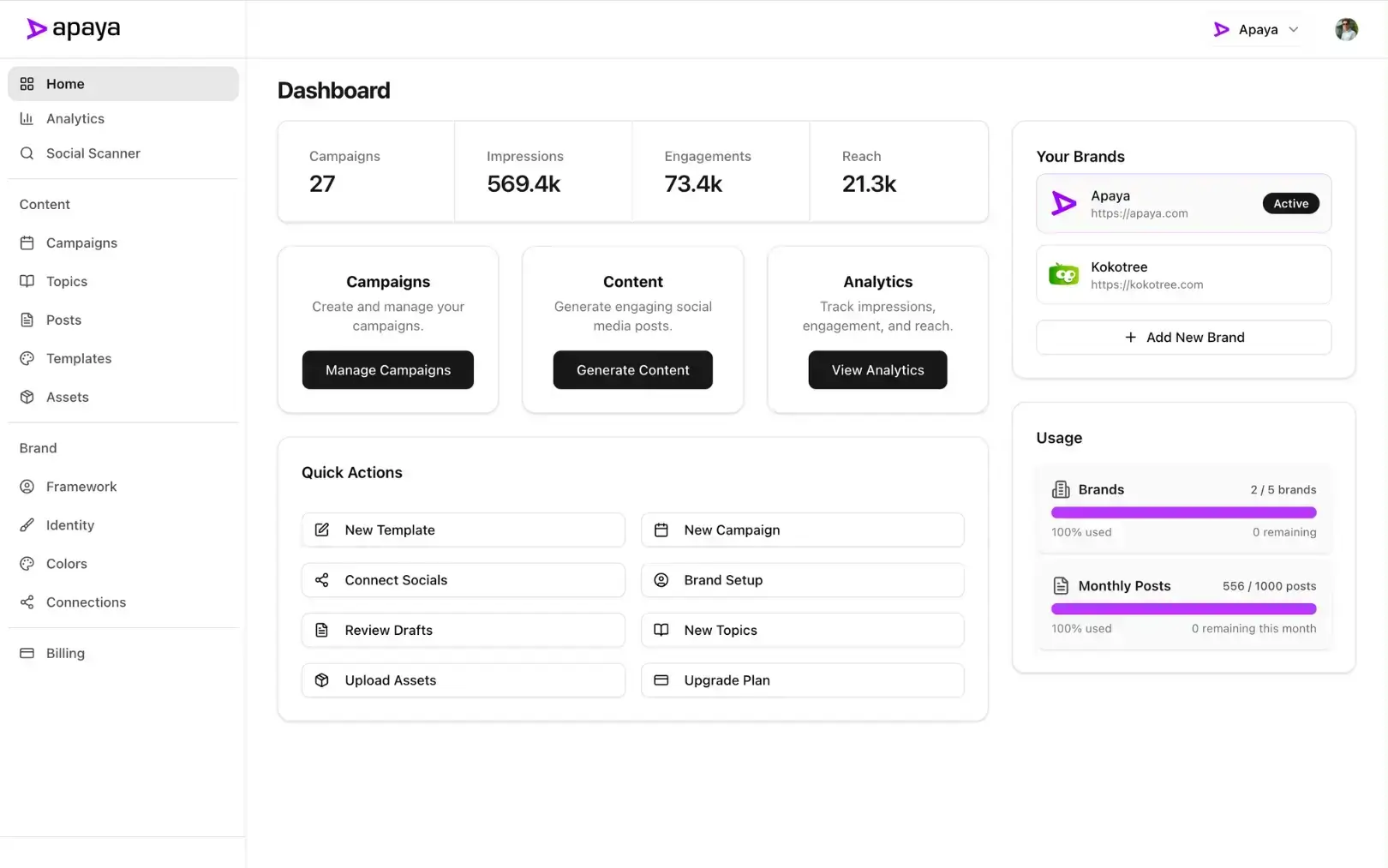
Learns your brand automatically
No questionnaires and no prompt library. Apaya crawls your website to model your voice, audience, offers, and visual identity, building your Brand Framework behind the scenes. → How brand learning works
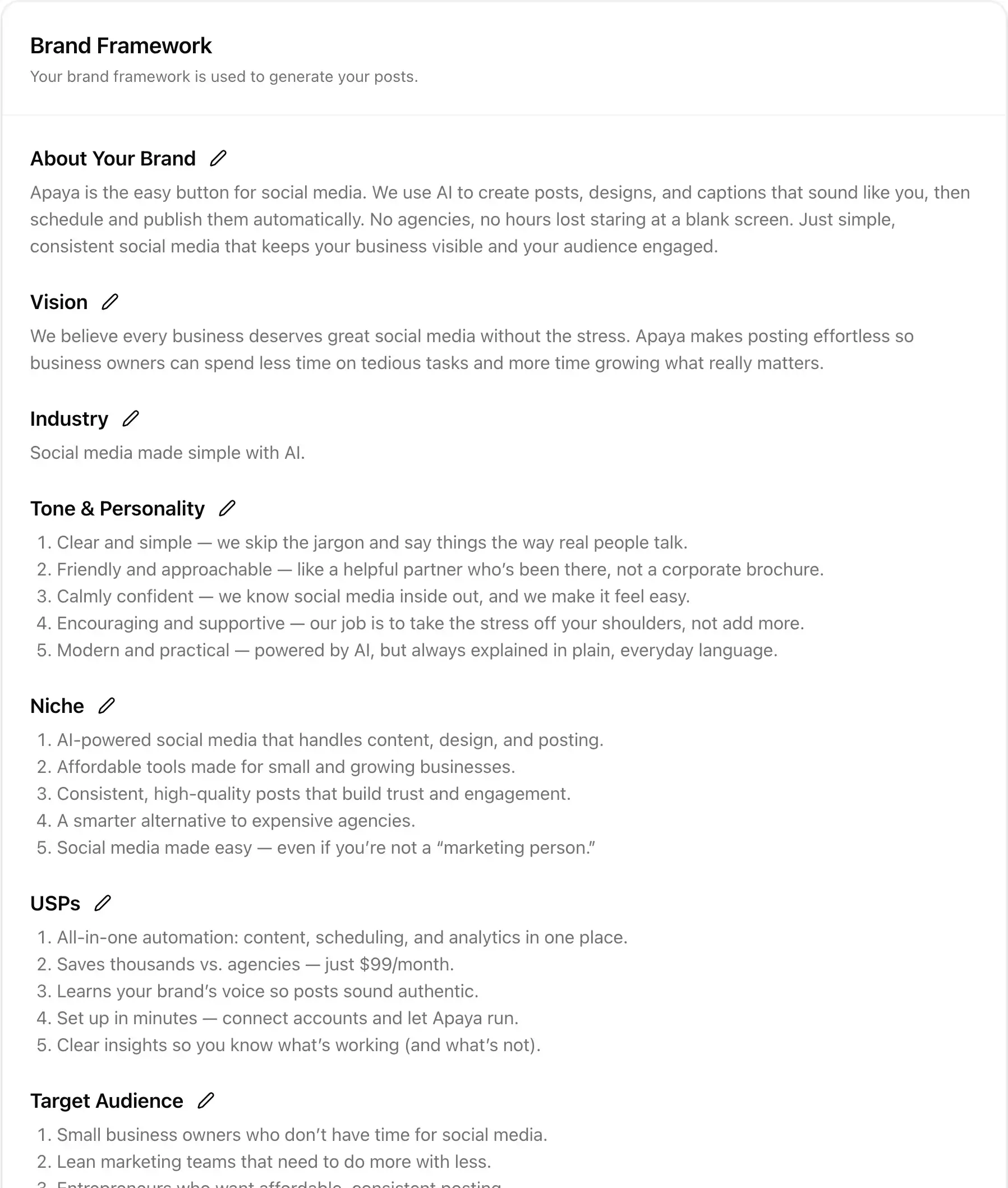
Writes and designs complete posts
From thought leadership to promos, Apaya generates finished posts with hooks, captions, hashtags, and on-brand graphics. Prefer tweaks? Use the built-in editor to adjust any element before it goes out. → Explore post generation
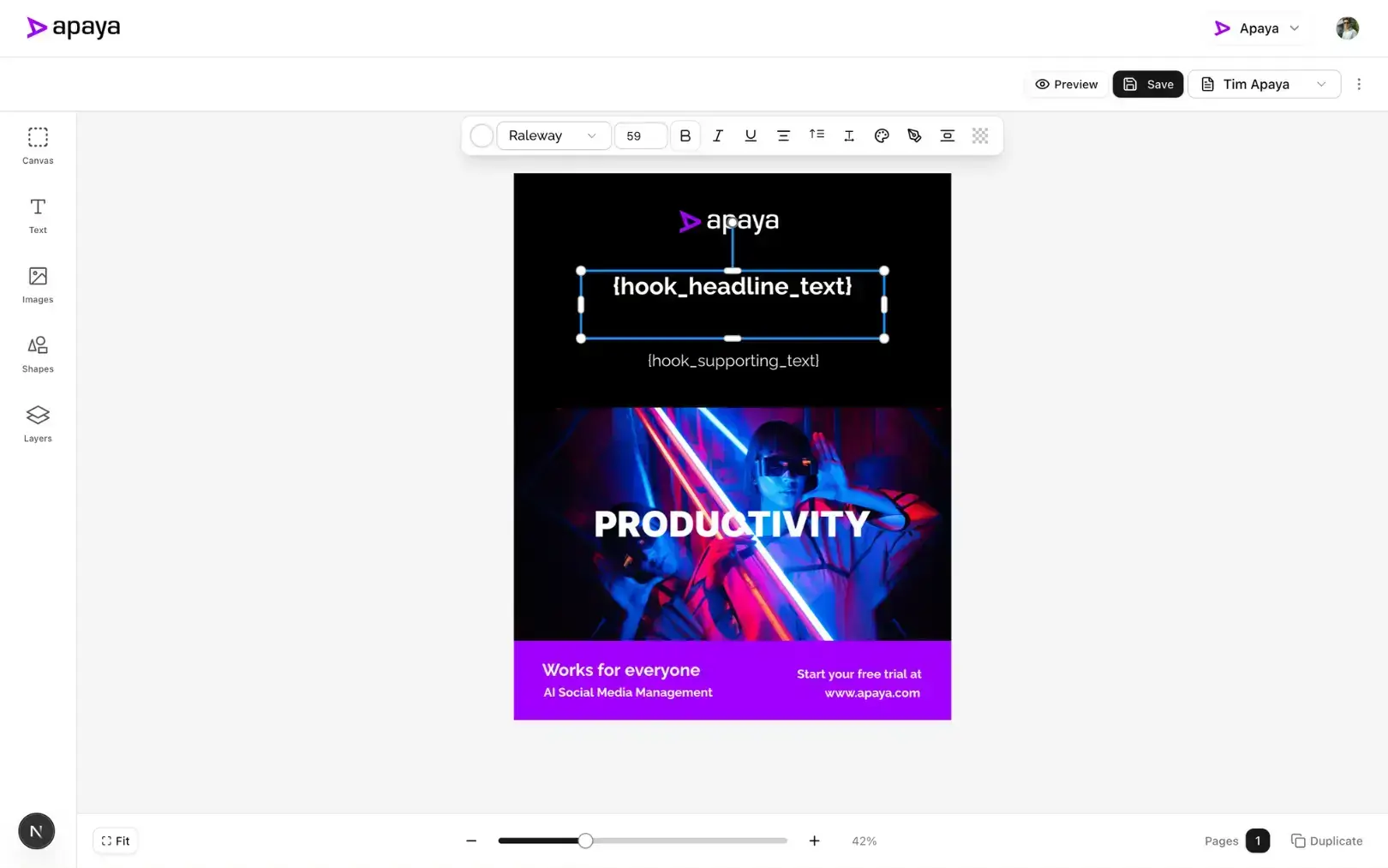
Schedules at the best time, then publishes
Apaya analyzes audience behavior to pick platform-specific posting times, then publishes across Instagram, Facebook, LinkedIn, X, and TikTok. Prefer control? Every post can wait for your approval first. → Discover smart scheduling
Apaya vs Postiz at a glance
| Feature | Postiz | Apaya |
|---|---|---|
| Generates content for you | AI assist, capped by tier | Yes, unlimited |
| Creates branded graphics | Capped by tier | Yes |
| Learns your brand voice | No | Yes, from your website |
| Self-hosted option | Yes, free | No |
| Infrastructure you maintain | Server + platform API apps (self-hosted) | None |
| Typical monthly cost | Free self-hosted, $29-$99 cloud | $55-$183 billed annually |
Who it’s for: Business owners, small teams, and agencies that want the results of social media without producing the content. If you looked at Postiz and thought “great, but who is going to write the posts?”, this is the answer.
Pricing posture: Plans run $55 to $183 per month billed annually with unlimited posts and unlimited AI generation. See pricing.
The limitation: Apaya is built for hands-off operation, so if you want to hand-craft every post from a blank canvas, or you need niche channels like Discord and Mastodon, a manual scheduler gives you more direct control. You can review and edit everything before it publishes, but the system works best when you let it do the work.
“Apaya AI doubled our engagement in weeks, posting daily thought leadership without pulling our dev team away.” — Abhisek Sharma, Owner at SCP Technologies
2. Mixpost: Best Self-Hosted Swap
Mixpost is the closest like-for-like alternative for the self-hosting camp. It is self-hosted social media software with a one-time license instead of a subscription: the Lite edition is free and covers Facebook Pages, X, and Mastodon, while Pro ($299 one-time, with a year of updates and a perpetual fallback license) unlocks all 11+ platforms, unlimited accounts, unlimited team members, analytics, and an AI assistant. Enterprise ($1,199 one-time) adds white-label and SaaS features.
Who it’s for: Self-hosters who like owning their stack but prefer paying once over paying monthly.
Pricing posture: Free (Lite), $299 one-time (Pro), $1,199 one-time (Enterprise). No monthly fees.
The limitation: Same as every self-hosted tool: the server, the updates, and the platform API setup are your job, and the content still comes from you. The one-time price buys software, not labor.
3. Buffer: Best for Simple Mainstream Scheduling
Buffer is the tool most people compare everything to, and for a reason: the queue workflow is simple, the interface is familiar, and the free plan (3 channels, 10 scheduled posts each) is enough to test with. After its December 2025 pricing change, paid plans run $6 to $12 per channel per month.
Who it’s for: Solo users and small teams who want a no-surprises scheduler for a handful of channels and are happy writing their own posts.
Pricing posture: Free plan available; paid from $6 to $12 per channel per month, which adds up past a few channels.
The limitation: Buffer schedules what you already wrote. It does nothing about the hours it takes to write it, and per-channel pricing punishes growth. Full head-to-head: Apaya vs Buffer.
4. FeedHive: Best for Creators Who Want AI Writing Help
FeedHive is a scheduler with AI layered on: post writing assistance, AI hashtags, performance predictions, and content recycling. It is popular with solo creators who like the queue workflow but want help filling it.
Who it’s for: Creators and solopreneurs posting frequently who want AI assistance without changing how they work.
Pricing posture: From $19/month (Creator) up to $299/month (Agency), with AI features unlocking at the $29 Brand tier.
The limitation: The AI is assistive, not autonomous. You still pick topics, prompt the writer, and approve each draft. Full head-to-head: Apaya vs FeedHive.
5. SocialBee: Best for Category-Based Recycling
SocialBee organizes content into categories (tips, promos, questions, curated links) and rotates through them on a schedule. Once your categories are stocked, the calendar stays full without daily attention, and its AI Copilot helps generate posts.
Who it’s for: Solopreneurs and small businesses with a bank of evergreen content who want a steady drip without daily posting decisions.
Pricing posture: Standard plans $29 to $99 per month, agency tiers from $179.
The limitation: The category system takes real setup work, and output quality depends on what you load into it. Empty categories mean an empty feed. Full head-to-head: Apaya vs SocialBee.
6. Ocoya: Best for E-commerce and Quick AI Captions
Ocoya combines scheduling with an AI copywriter and a built-in graphics editor, tilted toward e-commerce. Product-focused brands use it to spin listings into social posts quickly.
Who it’s for: Online stores and small brands that need fast captions and decent visuals without hiring a designer.
Pricing posture: Cheapest entry on this list at $15/month (Bronze), scaling to $159/month.
The limitation: AI credits are capped on lower plans, and scheduling and analytics depth is lighter than dedicated schedulers. Full head-to-head: Apaya vs Ocoya.
7. MeetEdgar: Best for Evergreen Content Libraries
MeetEdgar pioneered evergreen recycling: build a library of posts and Edgar re-shares them on a loop so your feed never goes quiet. It is a good answer to the “I wrote 50 great posts and used each one once” problem.
Who it’s for: Coaches, bloggers, and service businesses whose content stays relevant for months.
Pricing posture: Eddie at $29.99/month (5 accounts) and Edgar at $49.99/month (25 accounts), cheaper billed annually.
The limitation: Recycling is the whole product. It does not help you create fresh or timely content, and analytics are basic. Full head-to-head: Apaya vs MeetEdgar.
How to Choose a Postiz Alternative
Do not compare feature checklists. Compare where your hours go, and be clear about which camp you are in:
-
You left because self-hosting is a chore: Choose Apaya if you also want the content handled, or Mixpost if you want to keep self-hosting with a one-time license.
-
You left because the content never got made: Choose Apaya. It is the only tool on this list that writes, designs, schedules, and publishes without you feeding it.
-
You want the simplest possible queue: Choose Buffer and accept that filling it is your job.
-
You have evergreen content going to waste: Choose MeetEdgar or SocialBee. Recycling is their core competency.
-
You want AI help but manual control: Choose FeedHive or Ocoya.
And run the full math, not just the subscription. A free self-hosted scheduler that costs you three hours a week of content production and maintenance is a $600-per-month tool at a $50 hourly rate. It just never shows up on a credit card statement. Our cost analysis breaks down the real numbers.
Are There Free Postiz Alternatives?
Yes, with the usual asterisk. Mixpost Lite is free and self-hosted for Facebook, X, and Mastodon. Buffer’s free plan covers 3 channels with 10 posts each. And Postiz itself stays free if you self-host it, which is worth saying plainly: if self-hosted Postiz is working for you and the queue stays full, you do not need an alternative.
The asterisk is the same one from the section above. Free plans and free software give you the queue, not the content. The moment your bottleneck is making the posts rather than scheduling them, free tools stop being free.
Frequently Asked Questions About Postiz Alternatives
What is the best Postiz alternative overall?
Apaya, if your bottleneck is creating content rather than distributing it. Postiz schedules and cross-posts what you bring. Apaya learns your brand from your website, then creates, designs, schedules, and publishes the posts itself. If you only want a different self-hosted scheduler, Mixpost is the closest swap.
Is there an open source alternative to Postiz?
Mixpost is the main one: self-hosted, with a free Lite edition and one-time paid licenses instead of subscriptions. The trade-off with any self-hosted tool is the same: you own the stack, so you own the maintenance.
How much do Postiz alternatives cost?
From free (Mixpost Lite, Buffer’s free plan) to $299 one-time (Mixpost Pro) to monthly subscriptions between $15 (Ocoya) and $183 (Apaya’s Supernova tier). The bigger cost in every case is whose labor fills the calendar.
Is Postiz good for AI agents?
Yes. Its API, CLI, and agent integrations are among the best in the category, and if you are a developer building an agent-driven posting pipeline, it is a natural choice. The alternatives on this list serve people who do not want to build that pipeline: Apaya in particular runs the whole loop as a managed product, no agent configuration required.
Can I migrate from Postiz easily?
Yes. None of these tools import a Postiz queue directly, but switching is mostly reconnecting your social accounts, which takes minutes. With Apaya, you connect your website and accounts, it learns your brand, and you can have a week of posts scheduled the same day.
Pick the Tool That Removes the Most Work
Postiz proved there is real demand for automation-friendly social media software. The question it does not answer for most businesses is who makes the content.
Six of the seven tools above make distributing content easier. One removes the content job entirely. Start with the question of where your hours go, then pick accordingly.
Start Your Free Trial → Compare Plans →
Try it for 3 days • $0 today • Cancel anytime

The easiest way to keep your social media profiles active.
Apaya writes the posts, designs the graphics, and publishes them for you. You approve.
See how Apaya worksThe easiest way to keep your social media profiles active.
Apaya writes your posts, designs your graphics, and publishes everywhere — automatically.